Describe it, Forma designs it
“A 2 by 3 Gridfinity bin for my bits”: the assistant picks the template and sets its dimensions, and a deterministic geometry engine builds the part. Parameters are checked before every build.
Native application for Mac, iPad and iPhone
Describe the object you need and Forma designs it. The assistant picks a template and sets its dimensions, then a geometry engine builds the part, checks that it prints well and prepares the 3MF. The AI never draws geometry: it only chooses parameters.
Version 1.0 · 6.1 MB · macOS 27 or later, Mac with Apple silicon
Signed with a Developer ID and notarized by Apple


Features
“A 2 by 3 Gridfinity bin for my bits”: the assistant picks the template and sets its dimensions, and a deterministic geometry engine builds the part. Parameters are checked before every build.
Adjust every dimension with a slider, or carry on the conversation: “a bit taller, no label”. The 3D view updates instantly.
Storage, boxes, fasteners, plates, workshop, home, bricks, mechanics and basic shapes. For anything outside the catalogue, the assistant composes a recipe from simple shapes.
Wall thickness, overhangs, bridges and islands checked, weight and print time estimated, and the face to put on the bed suggested.
Views, sections and dimensions redraw live with every change. Print the drawing as a PDF.
Photograph an object next to a bank card: Forma traces its outline to within about half a millimetre and turns it into a plate, a shadow-board insert or a Gridfinity bin. In the 3D view, the Measure tool gives distances, angles and diameters.
Print profiles per printer and material, hole compensation calculated from a calibration part, adjustable fit clearances. Share your profiles over AirDrop.
The assistant runs with Apple Intelligence, on device, with no network. If you choose, it can use Claude with your own API key; on the Mac, the Claude app can also drive Forma.
Export as 3MF or STL, open the part in your slicer with one click, or add the file to your Schama catalogue. Siri and Shortcuts on Mac, iPad and iPhone.
Preview
Eight Mac screens. For now they show the app in French; screens in English, and those of the iPad and iPhone, will follow.
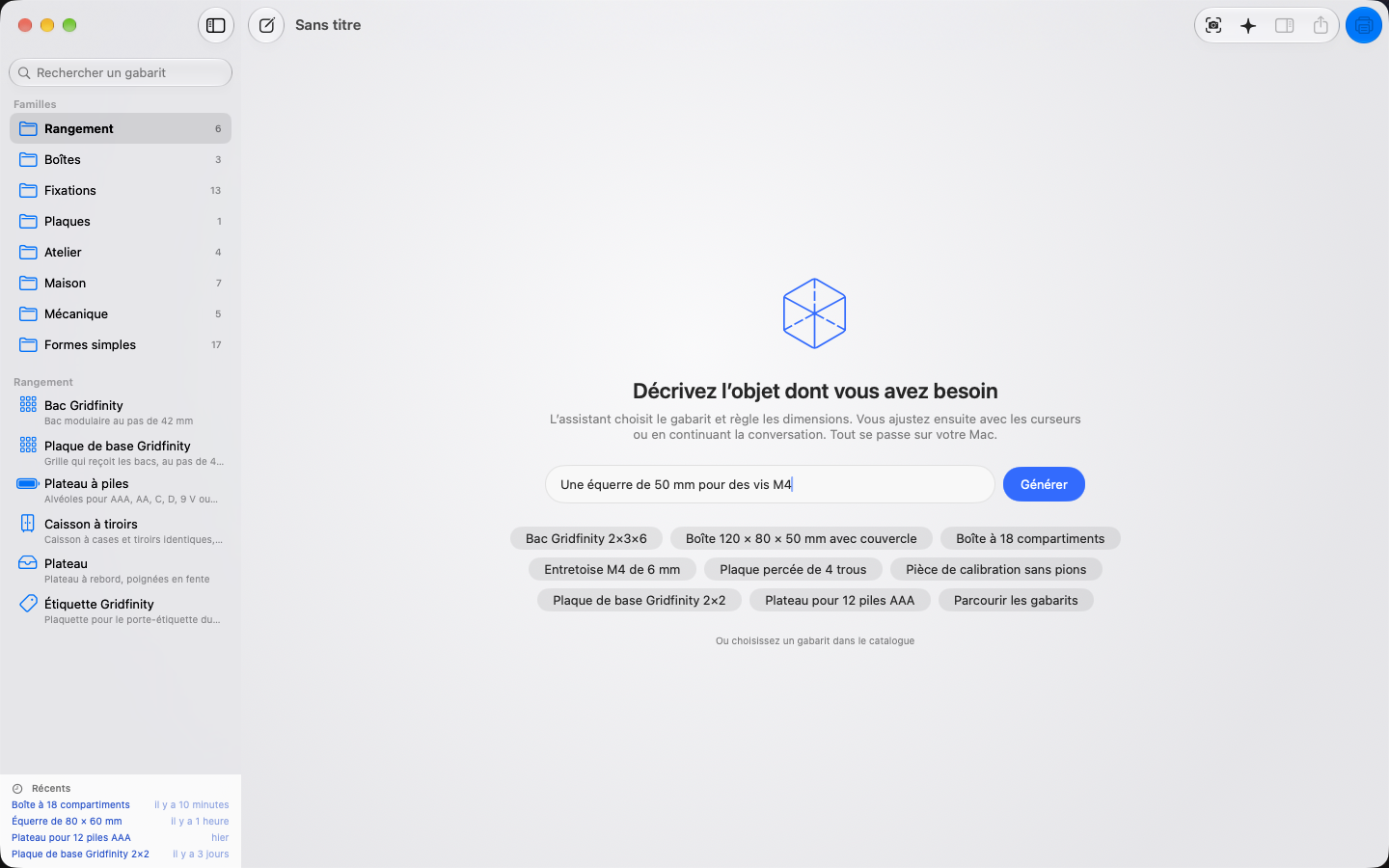
One sentence is enough. Suggestions and the template catalogue are a click away.
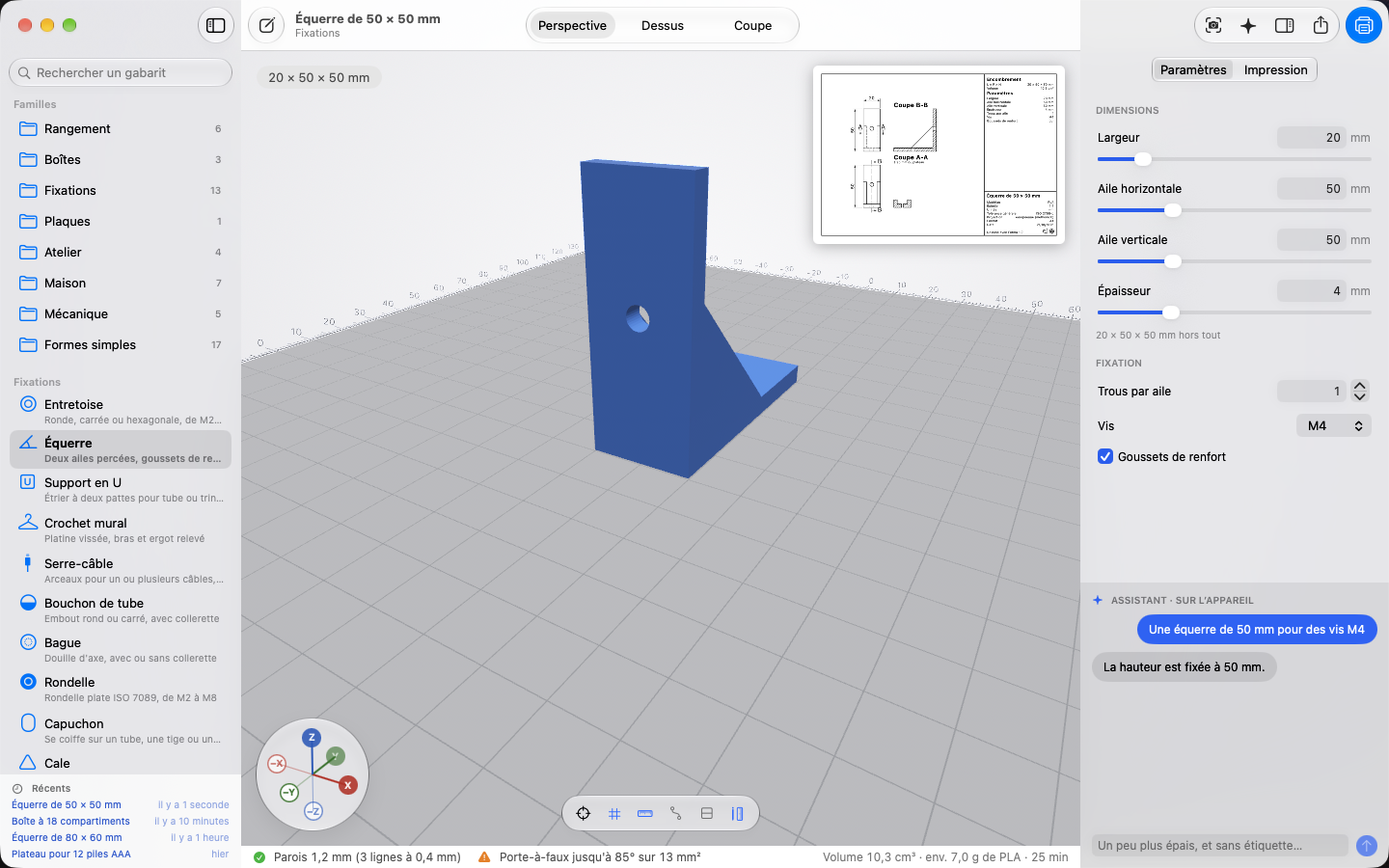
“A 50 mm angle bracket for M4 screws”: the part in 3D, its dimensions in the inspector, its drawing as a thumbnail.
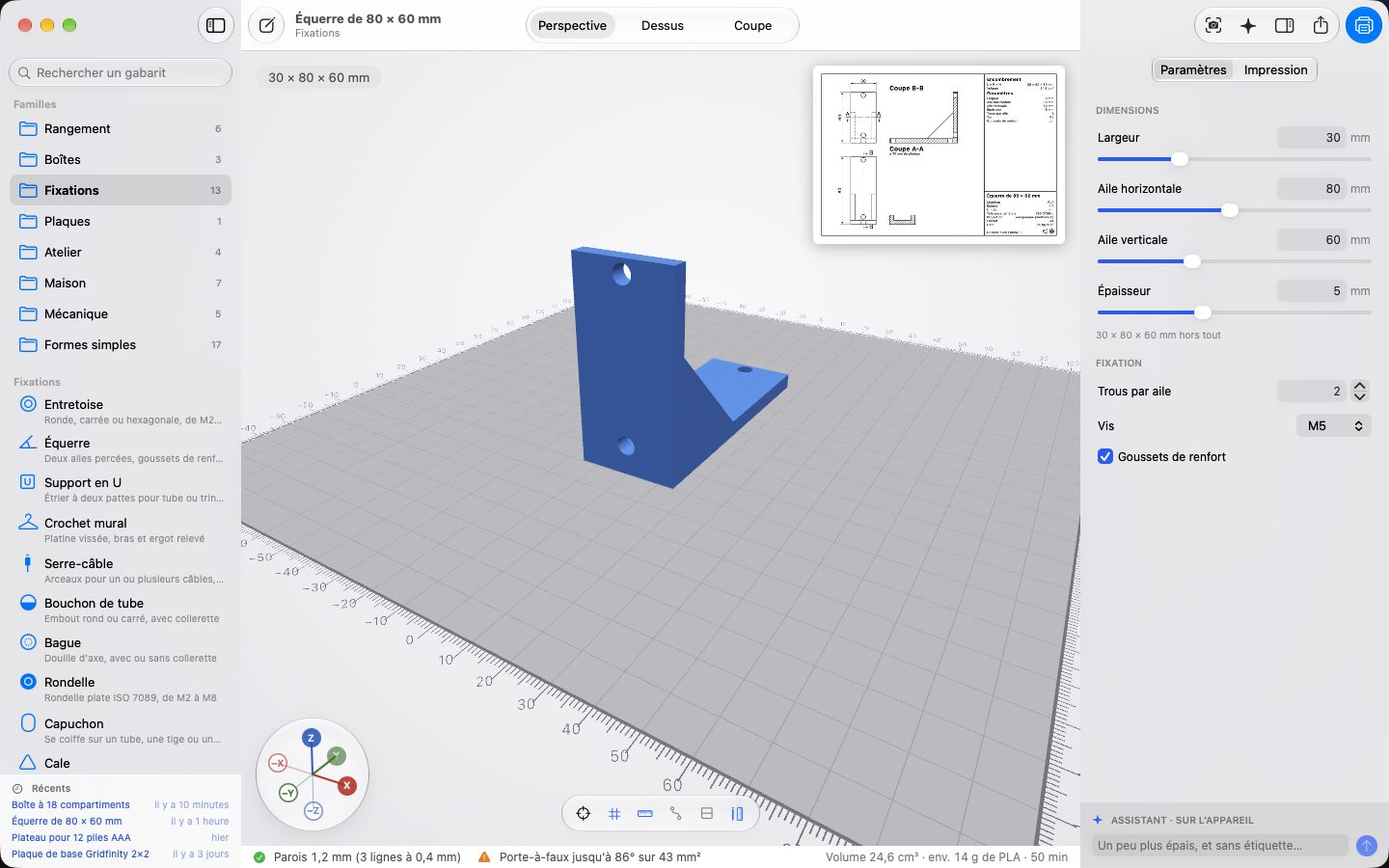
Sorted by family in the sidebar: storage, boxes, fasteners, plates, home, bricks, mechanics…
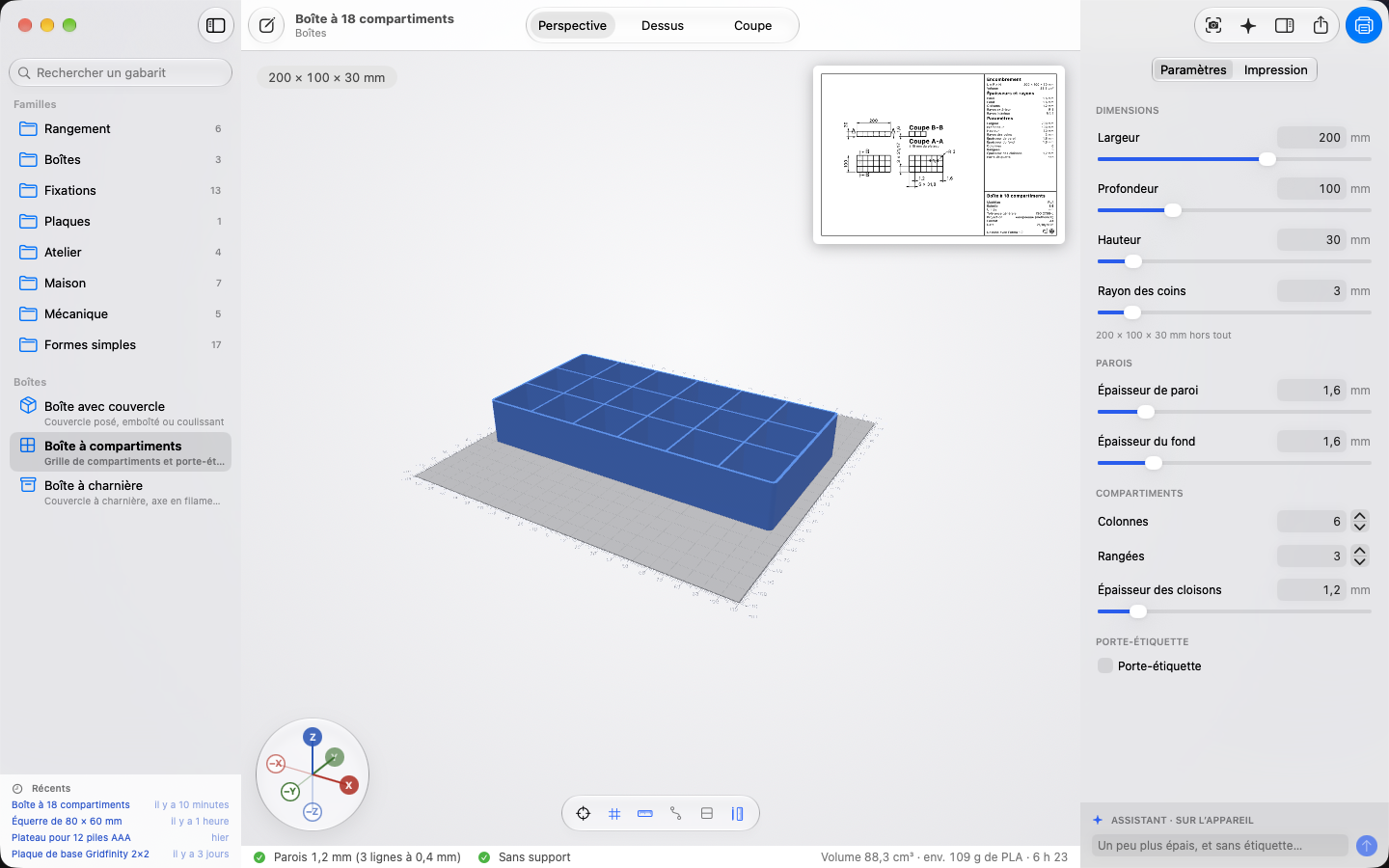
Dimensions, walls, compartments: the 3D view follows every change.
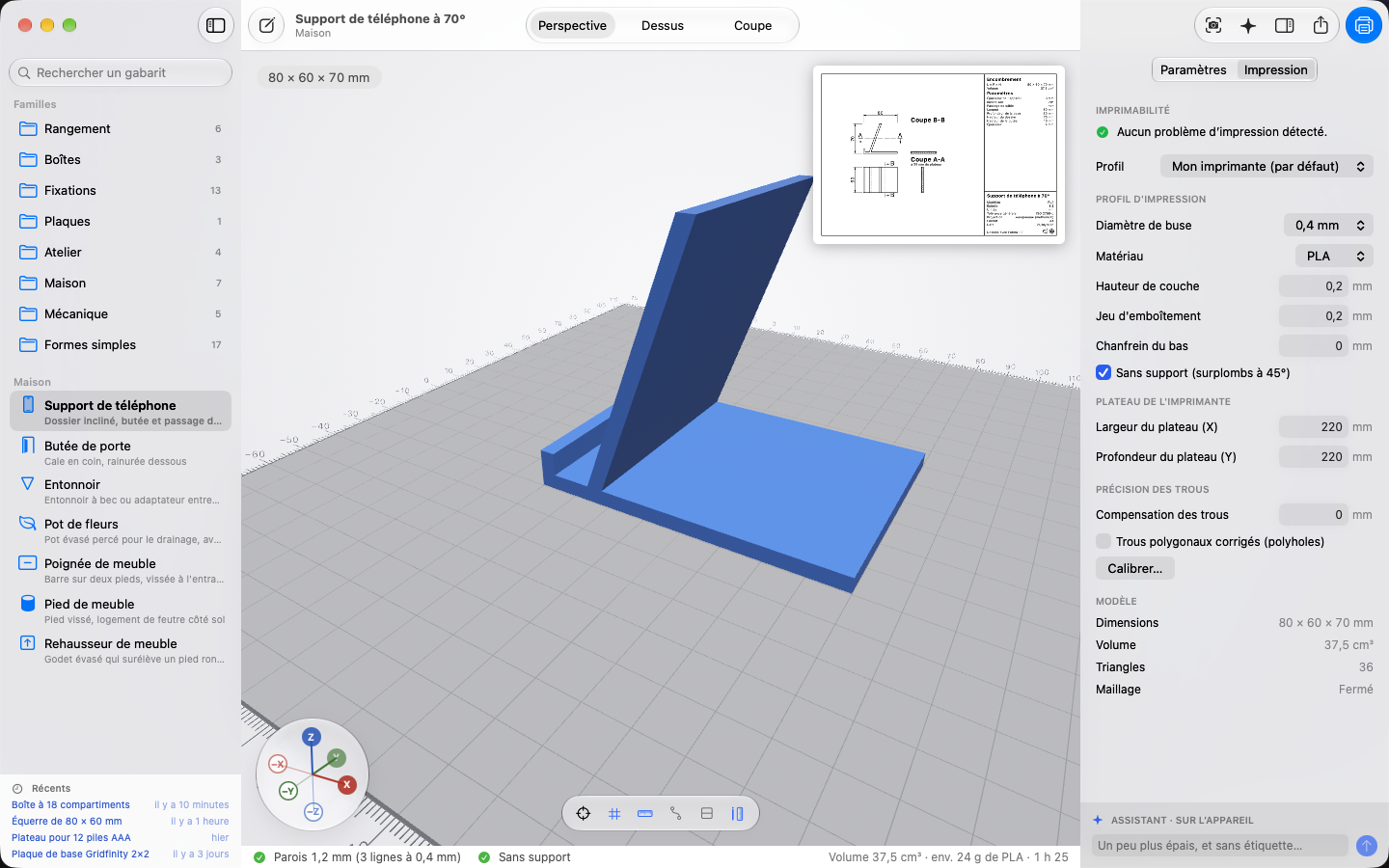
Print profile, printer bed, hole accuracy and printability findings, in the Printing tab.
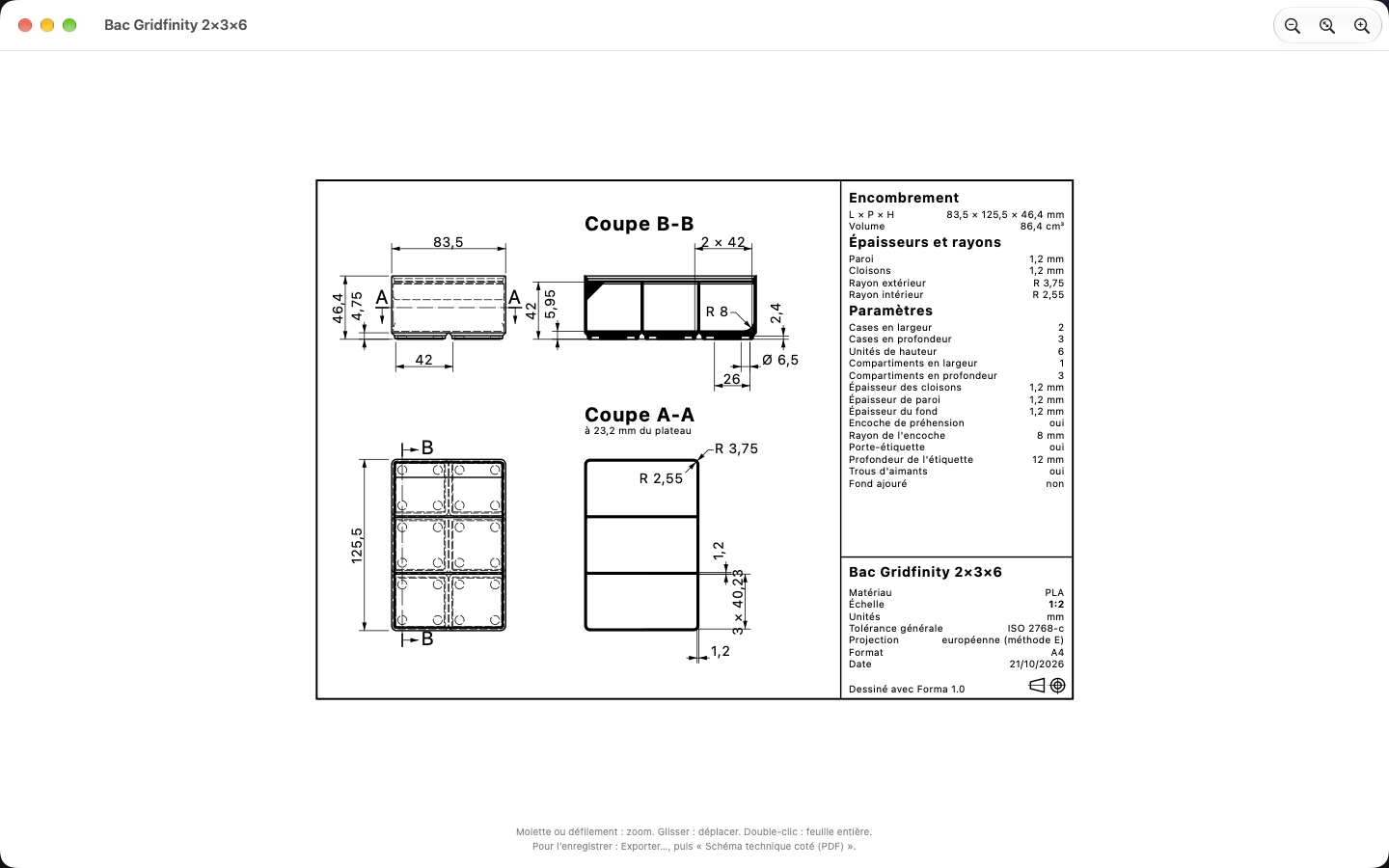
Sections, dimensions and title block, redrawn with every change, ready to print as a PDF.
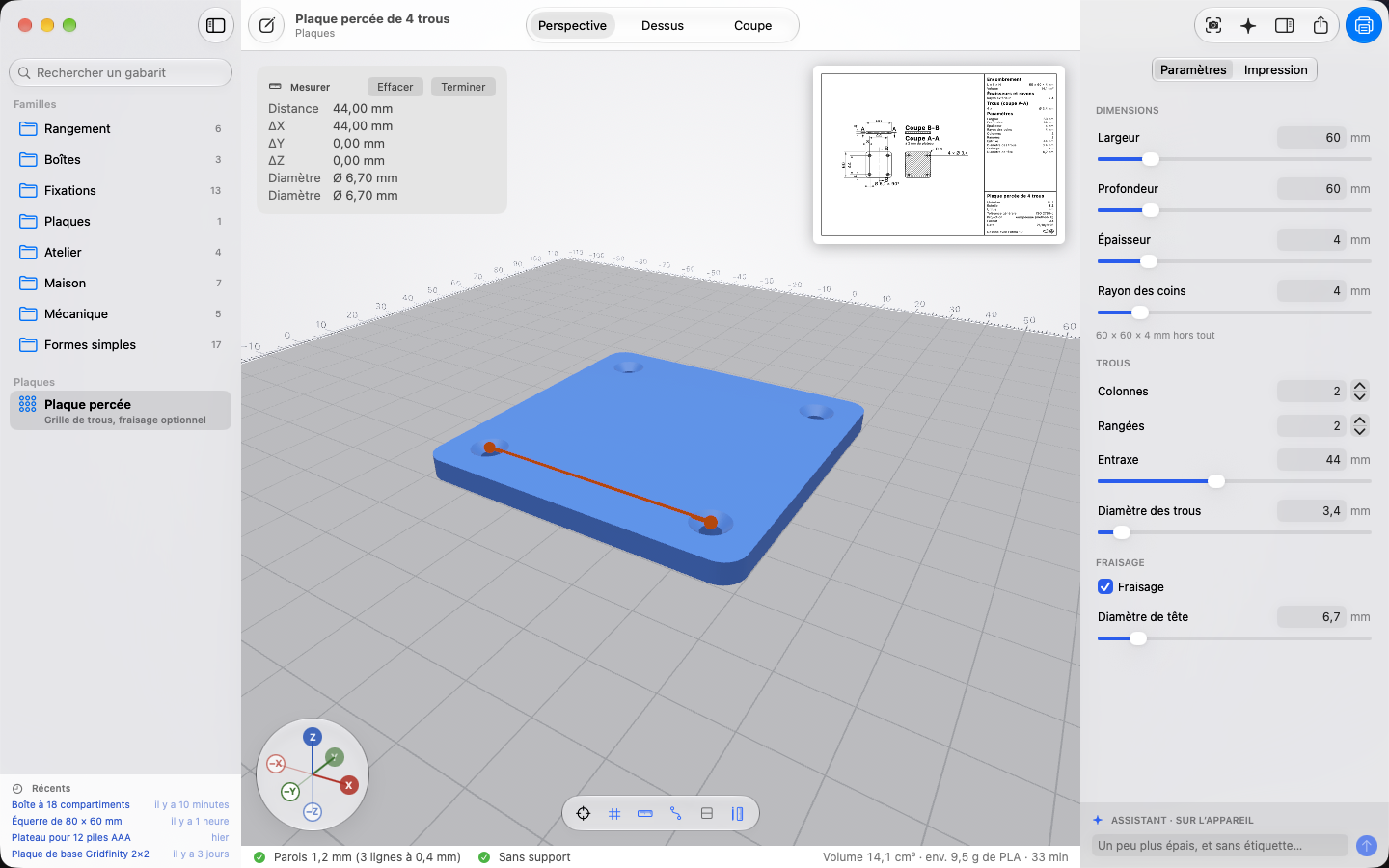
Distances and diameters, snapping to vertices, edges and holes.
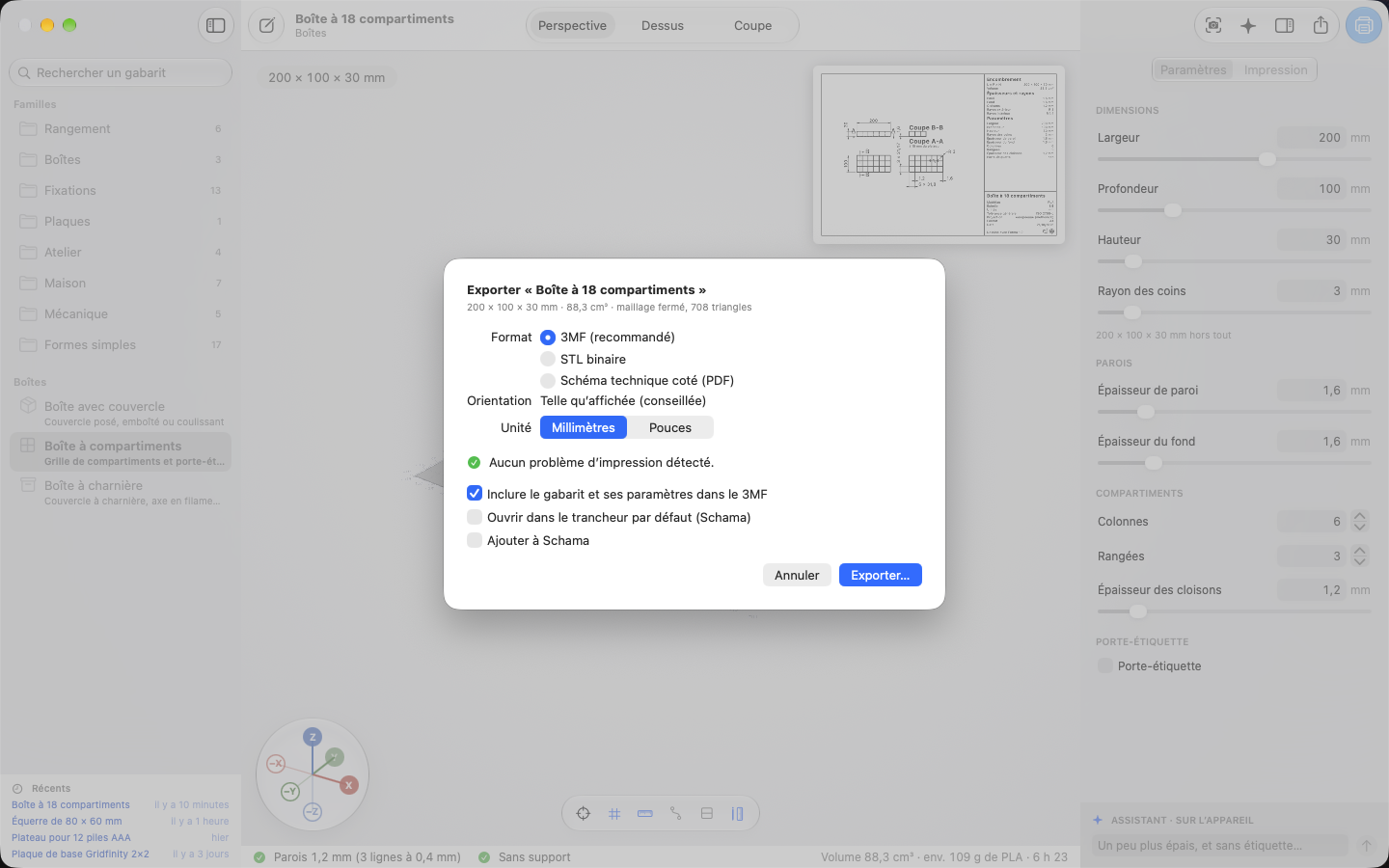
The suggested orientation, the template and its parameters inside the 3MF, and Add to Schama.
Siri, Spotlight & Shortcuts
2 Siri commands and 2 actions in the Shortcuts app, on Mac, iPad and iPhone.
Siri commands
Actions in the Shortcuts app
Private data
No account, no trackers, no data collected. Rapinology has no server: with the default assistant, nothing leaves your device.
Apple’s model reads your descriptions offline. Geometry, analysis and the drawing are always computed on the device.
With your own API key, only the description and the part’s parameters go to Anthropic. Never a file.
Measuring from a photo processes the image on the device: it is neither saved nor sent.
Support
The assistant, templates, printing, export: the support page covers the essentials, and we read every message.
Visit support →