
Layer-by-layer replay
Play, pause, adjustable speed or target duration, a timeline graduated in layers. The G-code pane follows the nozzle line by line.
Native application for macOS
Open a G-code file and watch the part build up before your eyes, layer after layer, line after line. G-CodeExplorer flags risks before you print, compares two slicings and exports a time-lapse of your part. Everything happens on your Mac.
Version 1.0 · 2.6 MB · macOS 26 or later, Mac with Apple silicon
Signed with a Developer ID and notarized by Apple
Features
Play, pause, adjustable speed or target duration, a timeline graduated in layers. The G-code pane follows the nozzle line by line.
Color the part by filament, movement, speed, layer, tool or risk, and cut it open to see inside, with a slider in millimeters.
Overhangs, bridges, islands, thin walls, flow, first layer, layer time, seam: a score out of 100 and a one-page PDF report.
MP4 time-lapse (H.264 or HEVC) or animated GIF, in 9:16, square or 16:9, with a camera orbit. Or a PNG share card.
Two files side by side: time, material, cost, score and risks, to pick the right settings before printing.
Insert a pause or a filament change before a layer: a new file is written, the original is never changed.
Live, read-only follow of a Moonraker or PrusaLink printer. After a failure, the post-mortem finds the layer to blame; the workshop journal keeps score.
G-code from PrusaSlicer, OrcaSlicer, Bambu Studio, Cura and Simplify3D, .gcode.3mf archives, 3MF projects, and STL as a simulated preview.
Quick Look preview in the Finder, Siri and Shortcuts actions, full menus and keyboard shortcuts, VoiceOver.
Preview
Three Mac screens, in this page’s language.
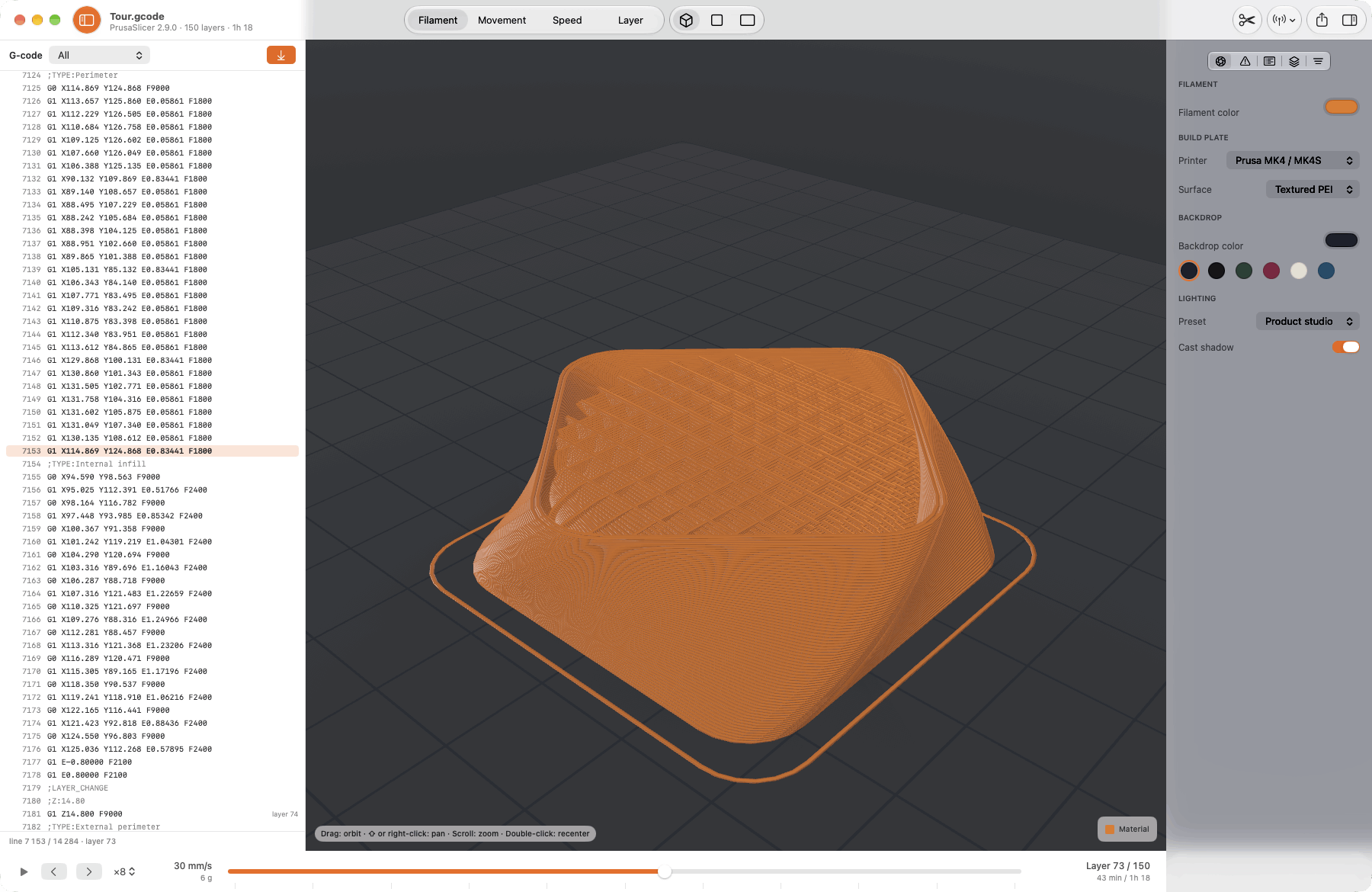
The G-code pane follows the nozzle line by line; the timeline counts layers and time.
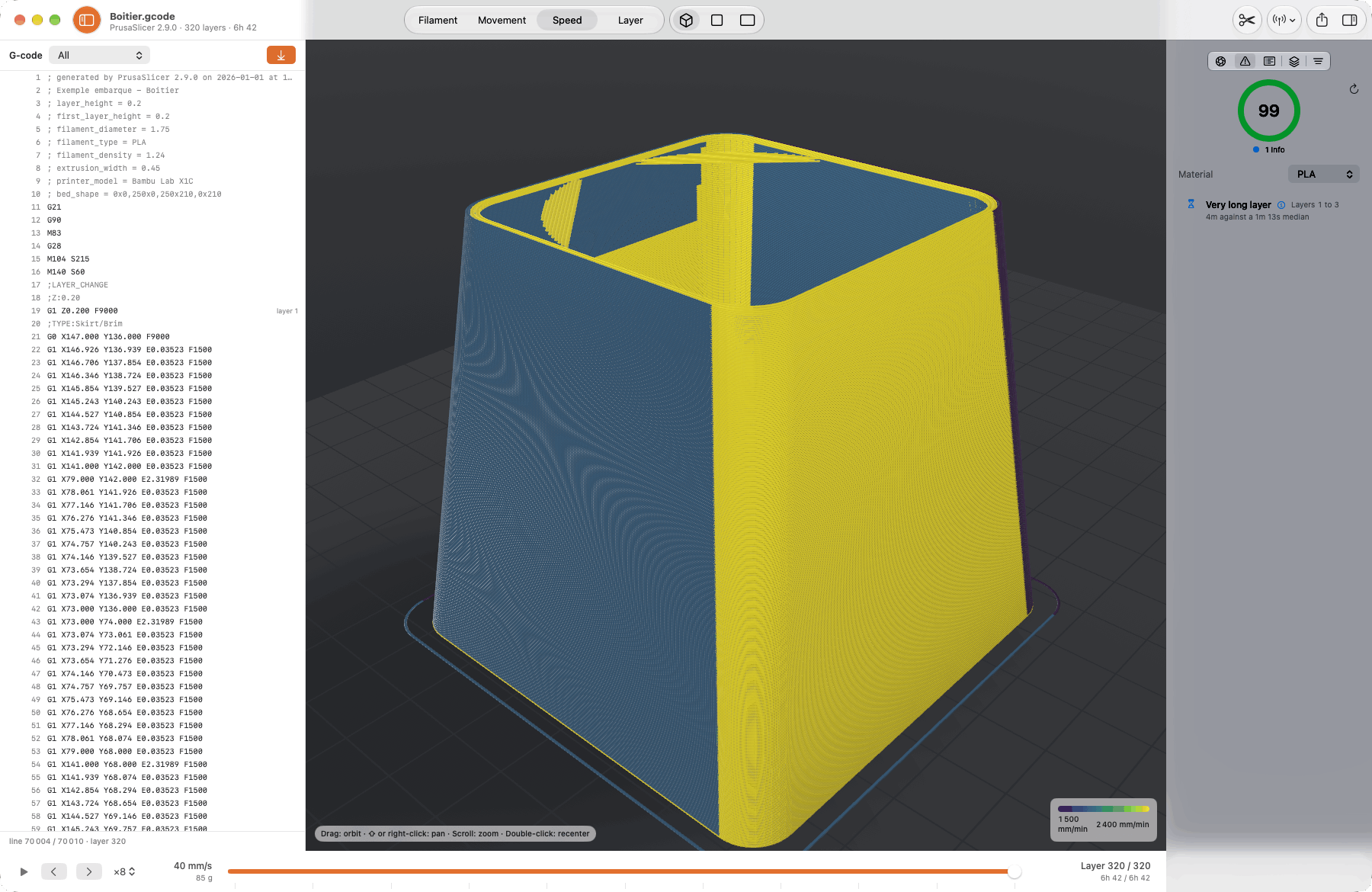
The part colored by speed, the score out of 100 and the risks found, each at its layer.
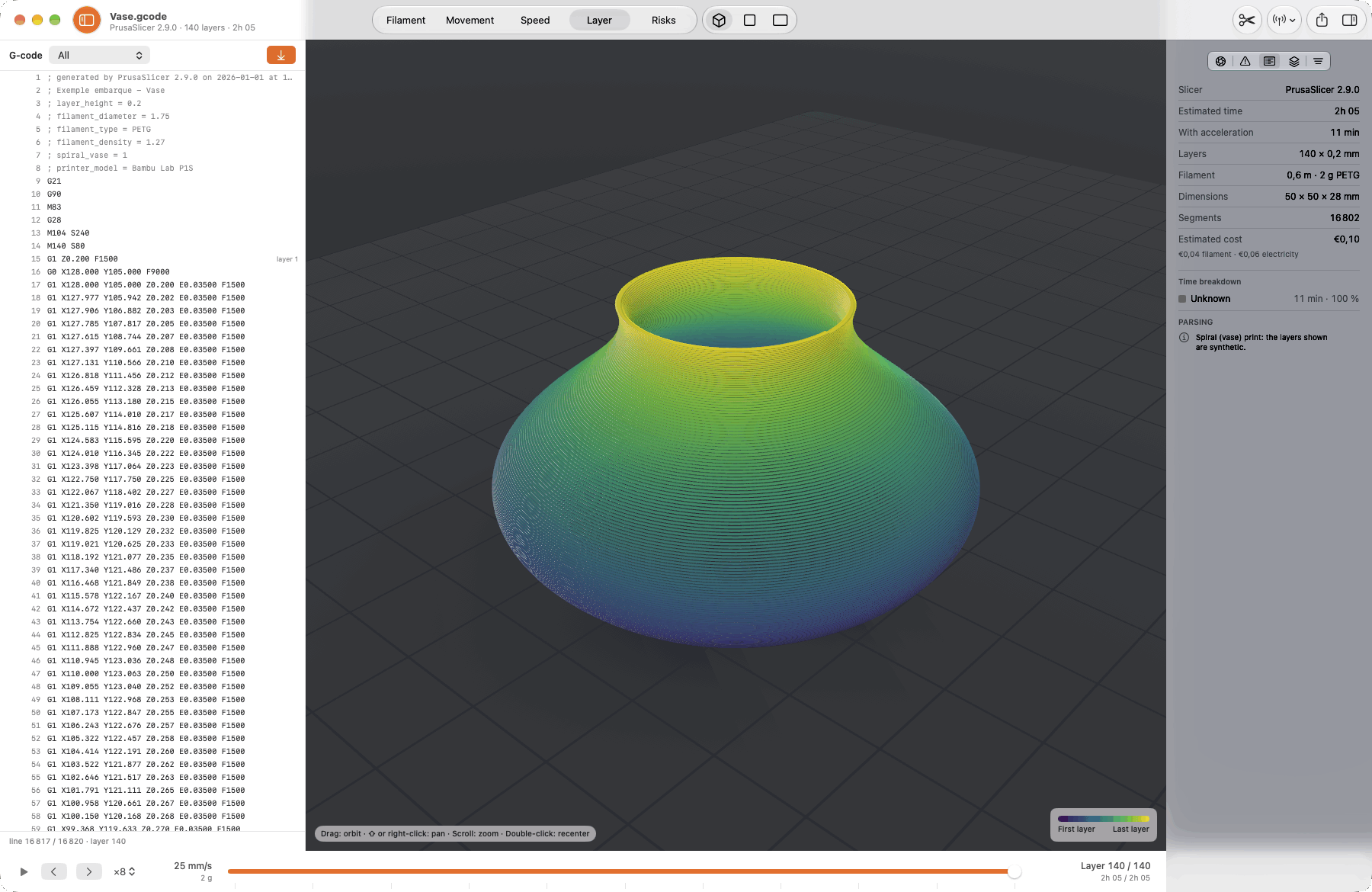
Slicer, estimated time, filament, dimensions and cost, together in the inspector.
Siri, Spotlight & Shortcuts
2 Siri commands and 2 actions in the Shortcuts app, on Mac.
Siri commands
Actions in the Shortcuts app
Privacy
No account, no trackers, no data collected. G-CodeExplorer reads your files on your Mac and sends nothing, neither to the developer nor to anyone else.
The open file is read, never written. Exports and inserted pauses produce new files, wherever you choose.
Risk analysis, video rendering and the workshop journal stay on this Mac.
The app only connects to the printers you add, read-only, and never sends them a command.
Support
Supported formats, risk analysis, live follow: the support page covers the essentials, and we read every message.
View support →