Budget dashboard
See your total adjusted cost at a glance, both monthly and yearly, to fully understand your real spending.

Native app for iPhone, iPad, Mac and Apple Watch
No more surprise auto-renewals. Track your monthly or yearly subscription expenses, get notified the exact day of the notice deadline, and generate cancellation letters in one click.

Custos comes to the Mac. A three-column interface with an inspector, a full menu bar and keyboard shortcuts, the Cash flow view, a widget for upcoming renewals, Siri and Shortcuts. Universal purchase: Custos for Mac is included if you already own the iPhone and iPad version.

Custos comes to Apple Watch, complications included. A new Cash flow view, a cancellation countdown on the Lock Screen, Lock Screen and StandBy widgets, bank statement import with no connection to your bank, the “What leaves this device” screen, and seven languages: French, English, Italian, Spanish, German, Japanese and Simplified Chinese.
Features
See your total adjusted cost at a glance, both monthly and yearly, to fully understand your real spending.
The month’s schedule, day by day, broken down by bank account. Not a monthly total: a calendar of charges.
Get notified on your device the exact day the cancellation deadline hits, for every subscription.
Add your renewal dates to your calendar with 5 automatic reminders (from 1 month to notice day) so you never miss it.
Fill in your details once, then instantly generate an email or letter template ready to copy and send.
Link each subscription to a bank account and a household member to always know who pays for what.
No accounts, no remote servers, no trackers. Your financial information stays exclusively and securely on your devices.
A three-column interface with an inspector, a full menu bar and keyboard shortcuts. A permanent menu bar summary tells you what is coming due.
Your next deadlines on the Apple Watch screen and in your complications, so you are warned without reaching for your iPhone.
Preview
Five iPhone screens, in the language of this page.
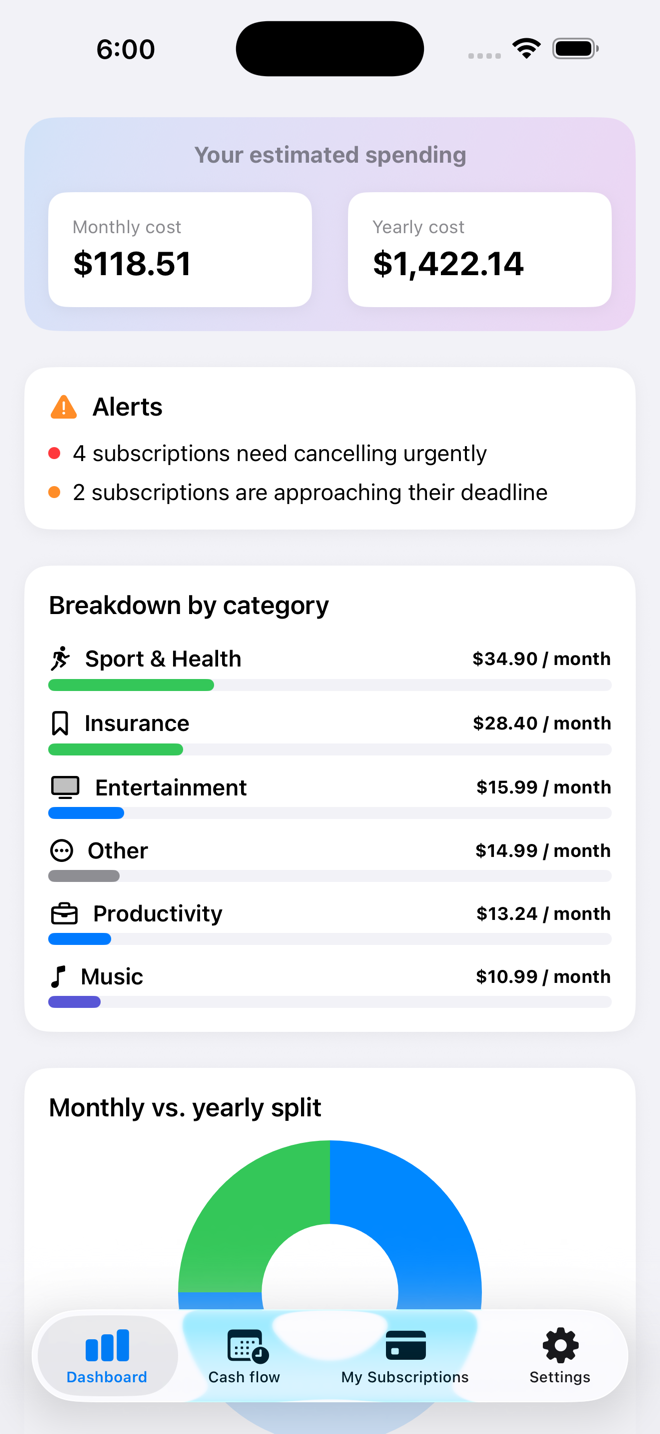
Costs smoothed monthly and yearly, alerts up top, breakdown by category.
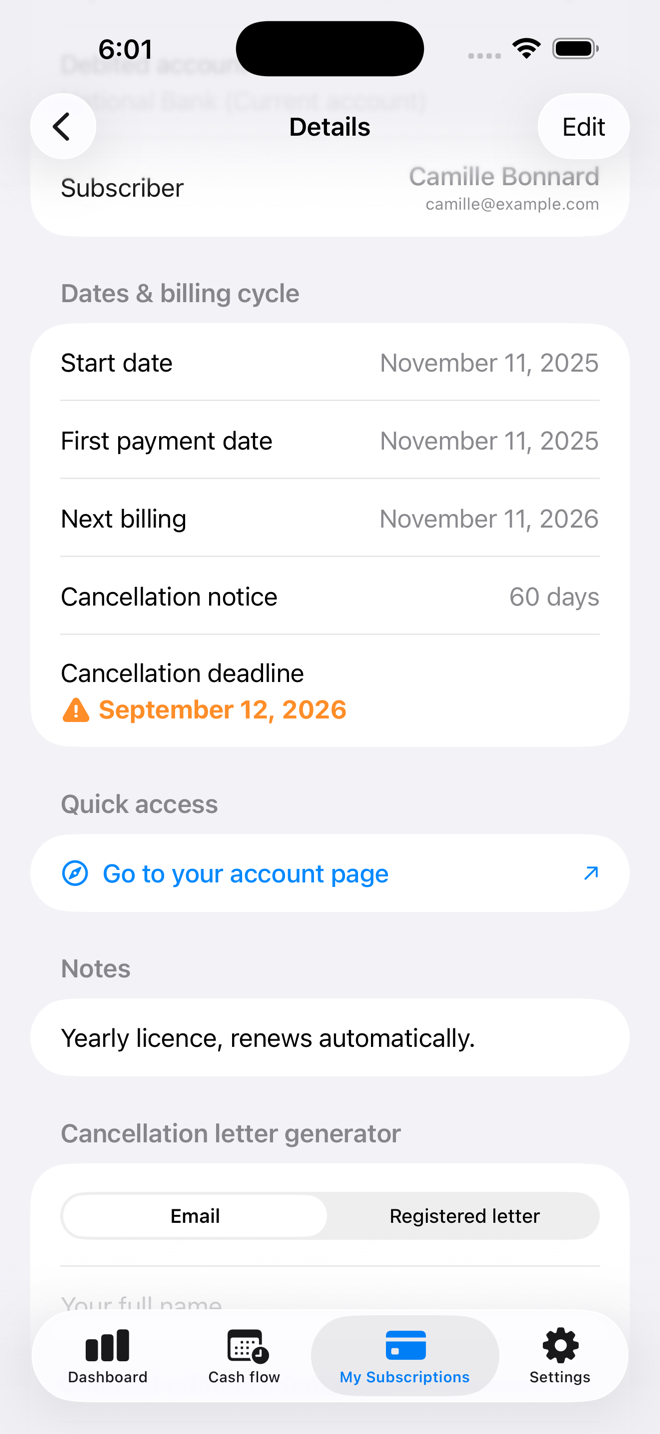
The cancellation deadline, worked out from the notice period, and its alert.
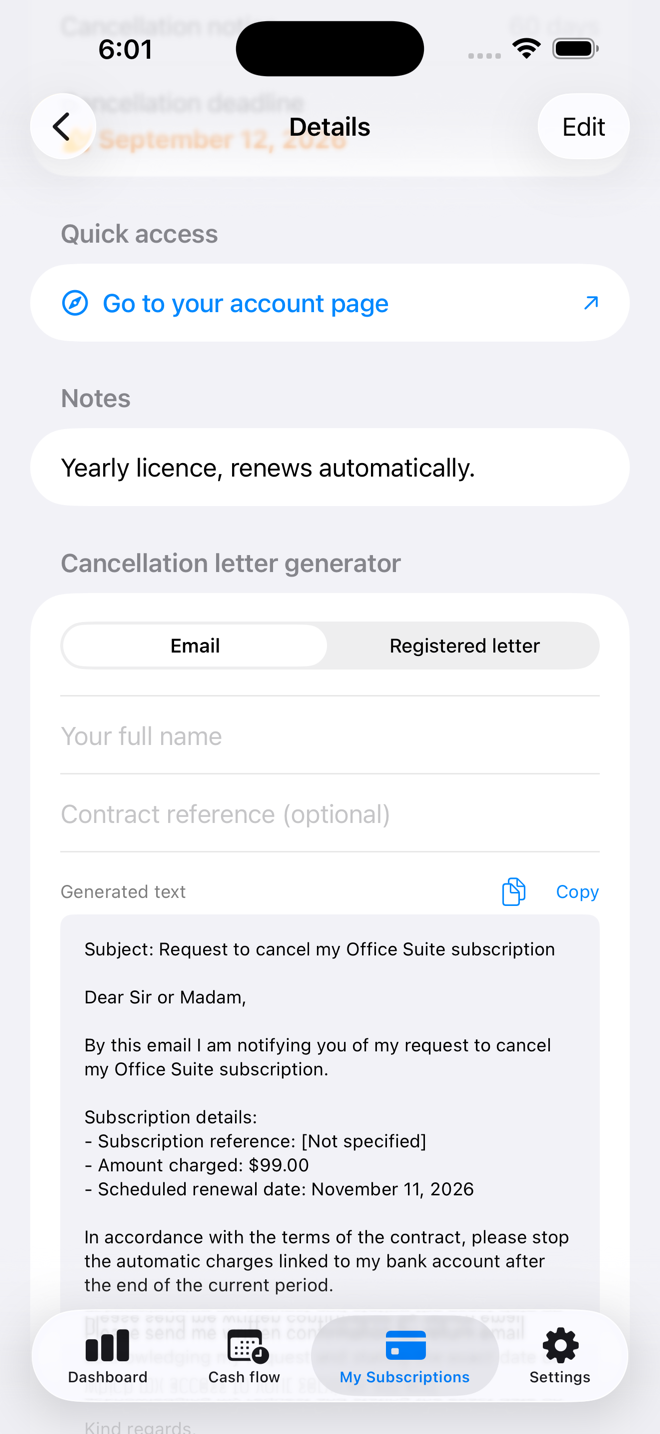
Email or registered letter, amount, reference and date already filled in.
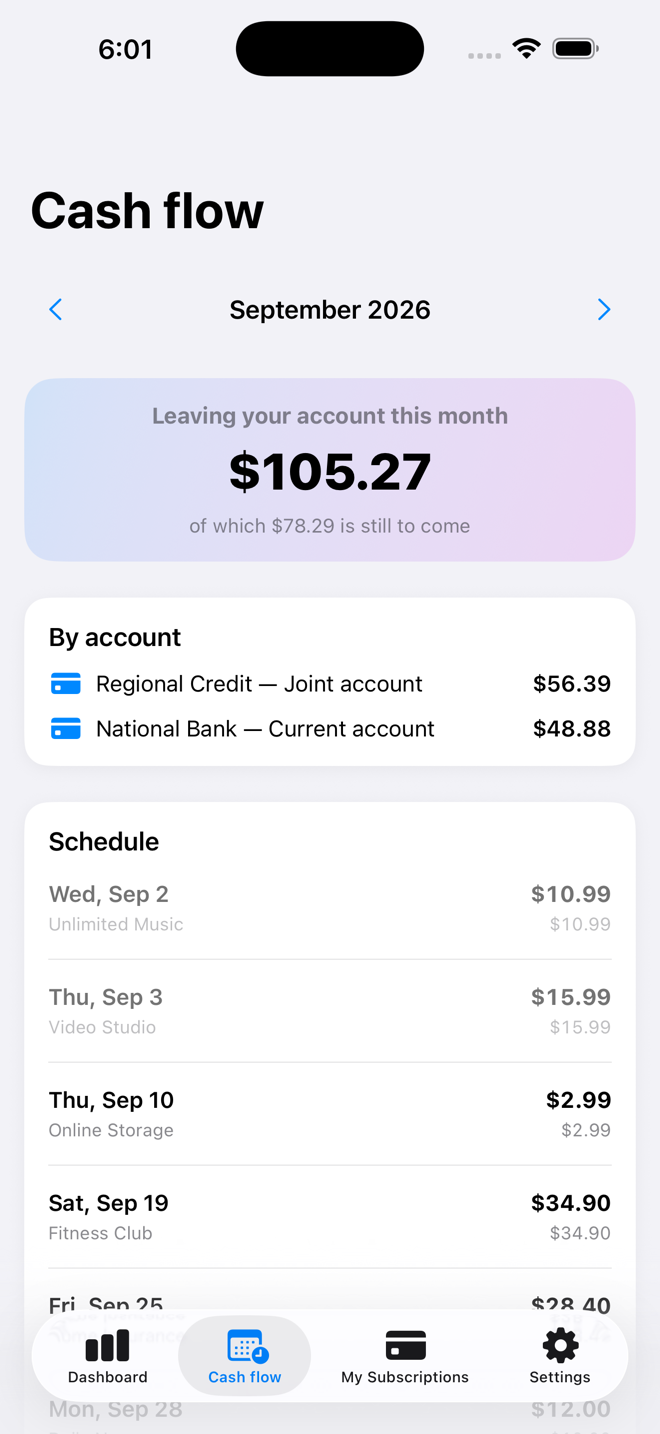
The month’s outgoings, split by bank account, with a day-by-day schedule.
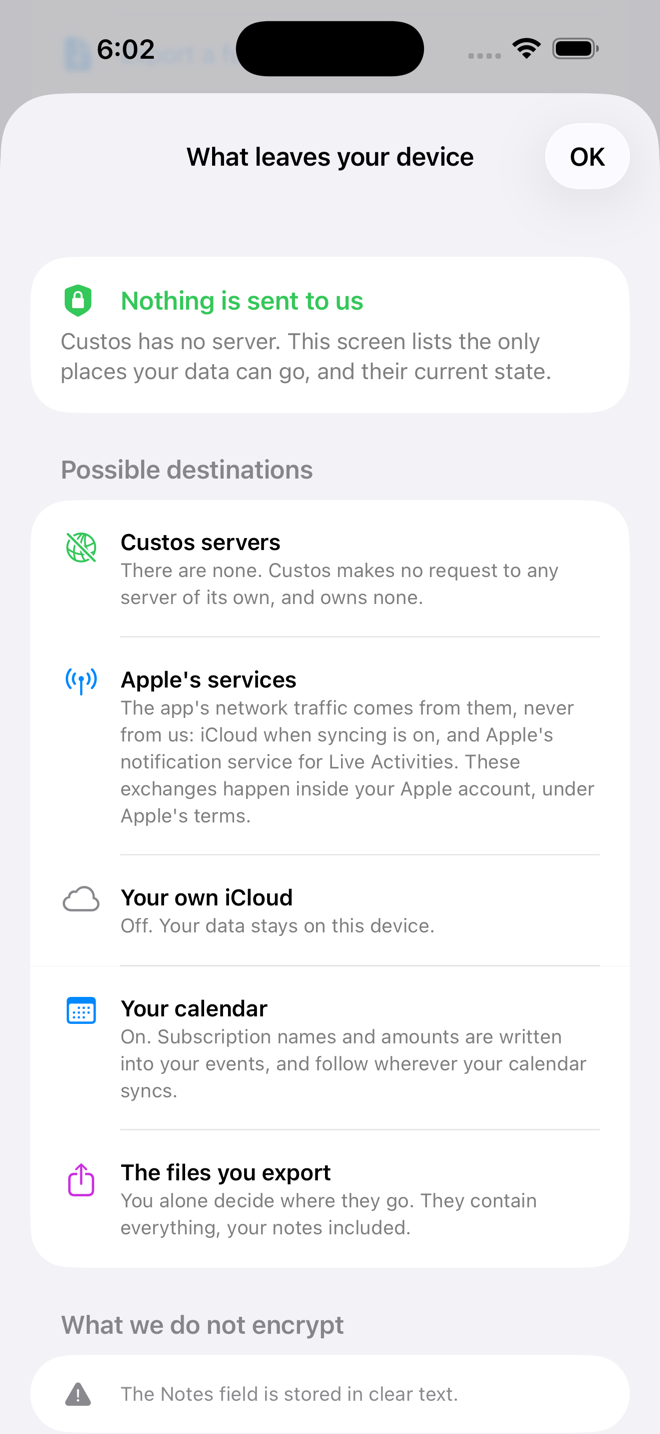
The screen lists the only possible destinations for your data, and their state.
On iPad
The same screens on iPad, in the language of this page.
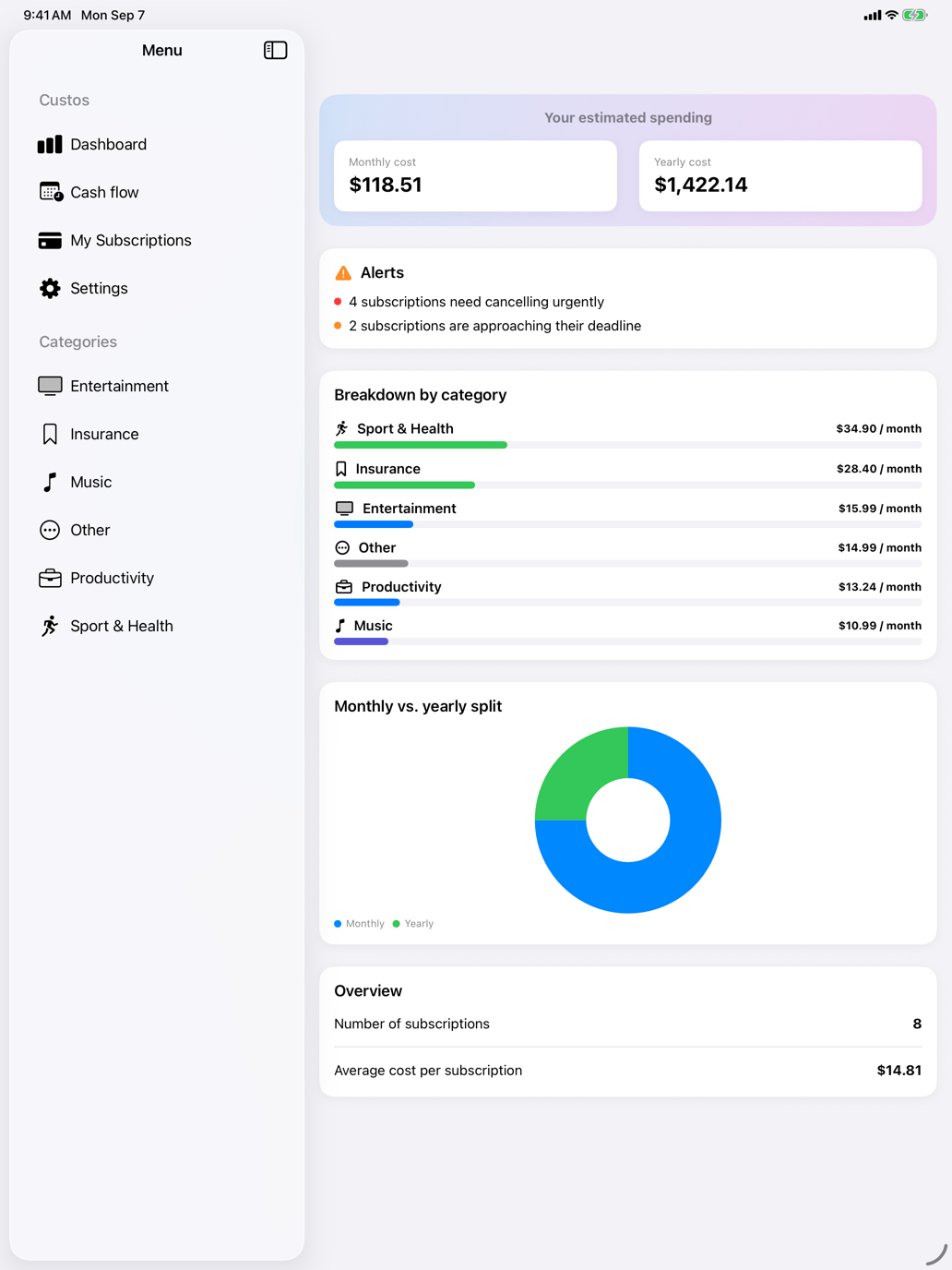
Costs smoothed monthly and yearly, alerts up top, breakdown by category.
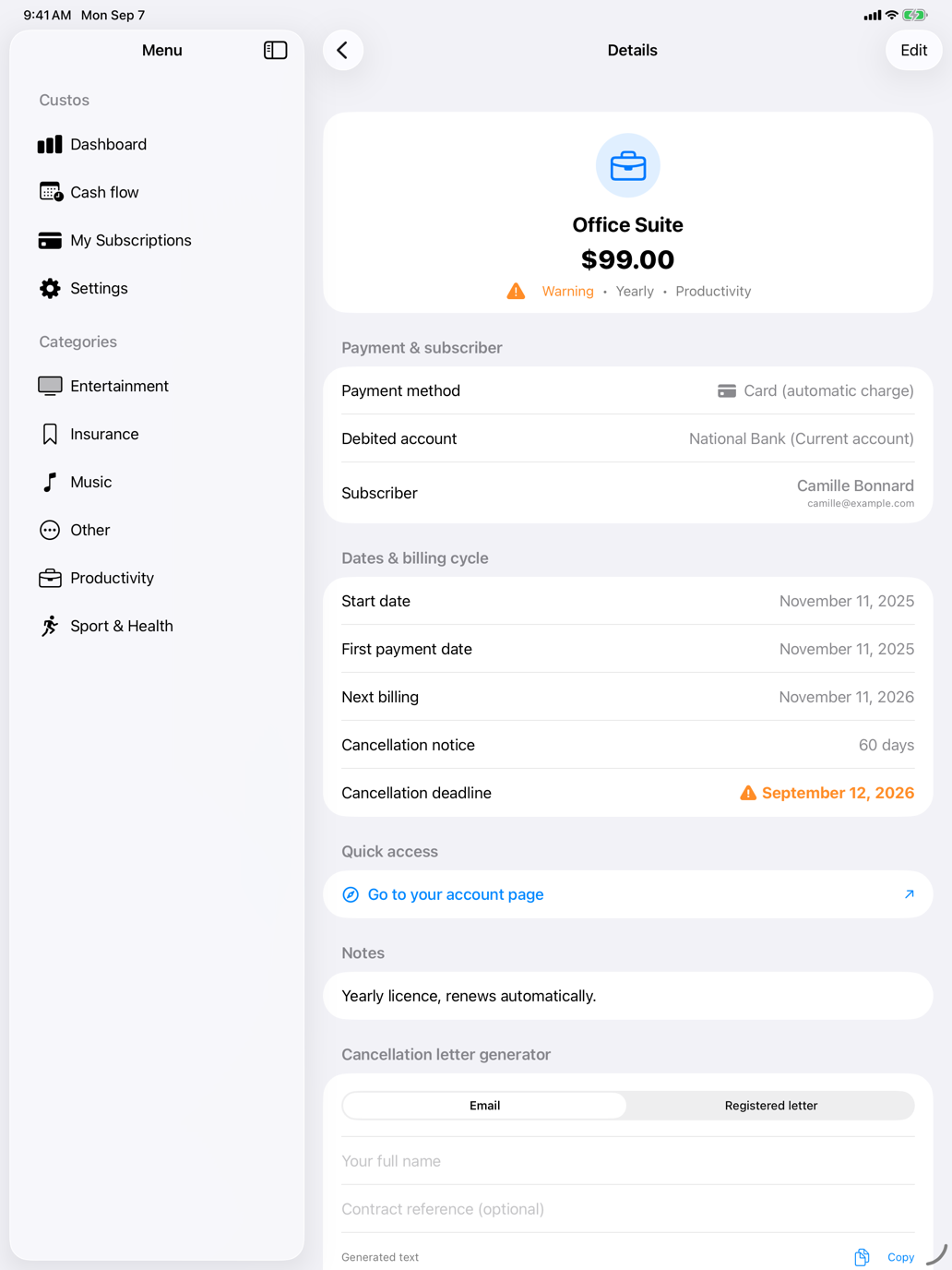
The cancellation deadline, worked out from the notice period, and its alert.
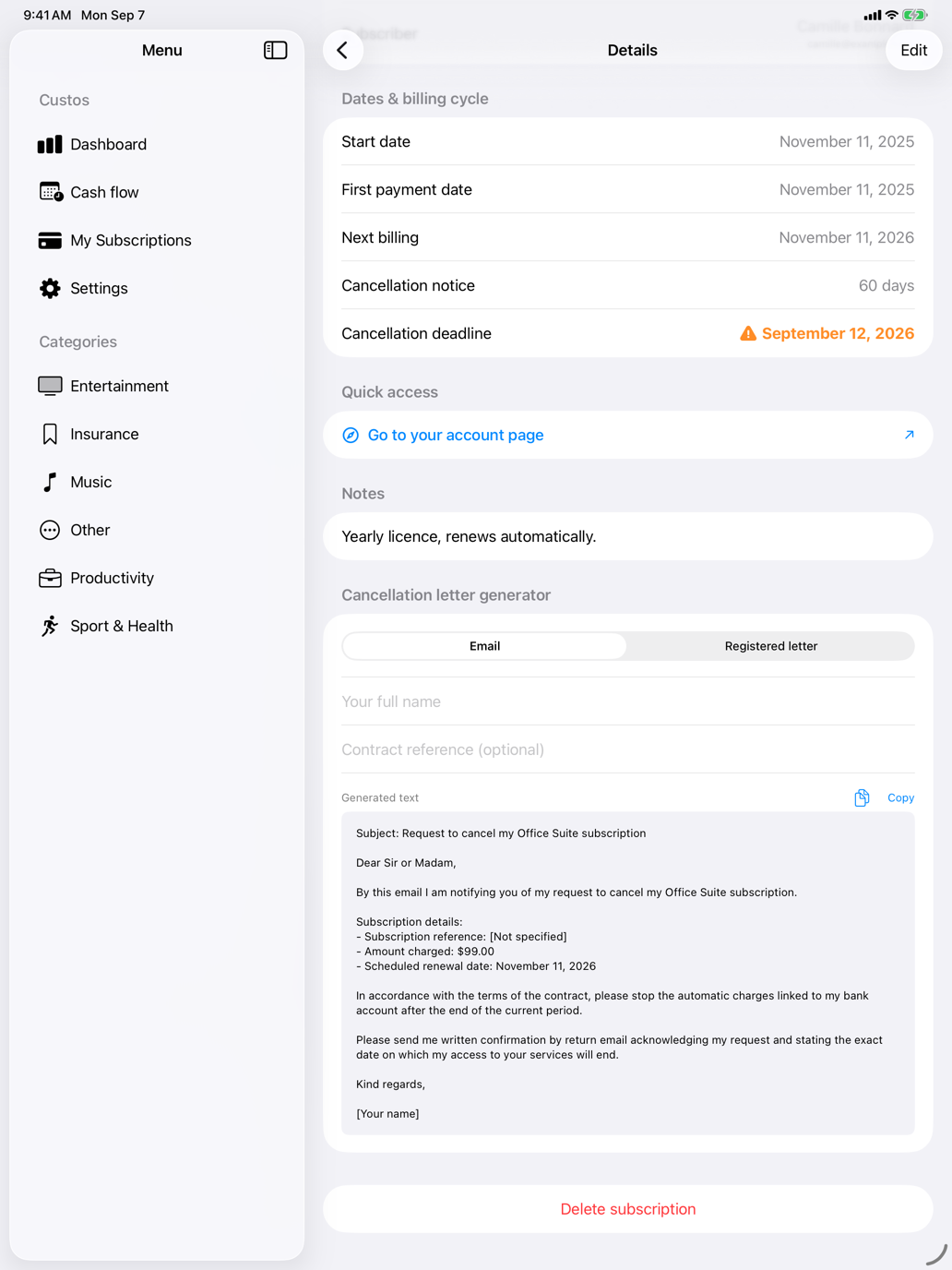
Email or registered letter, amount, reference and date already filled in.
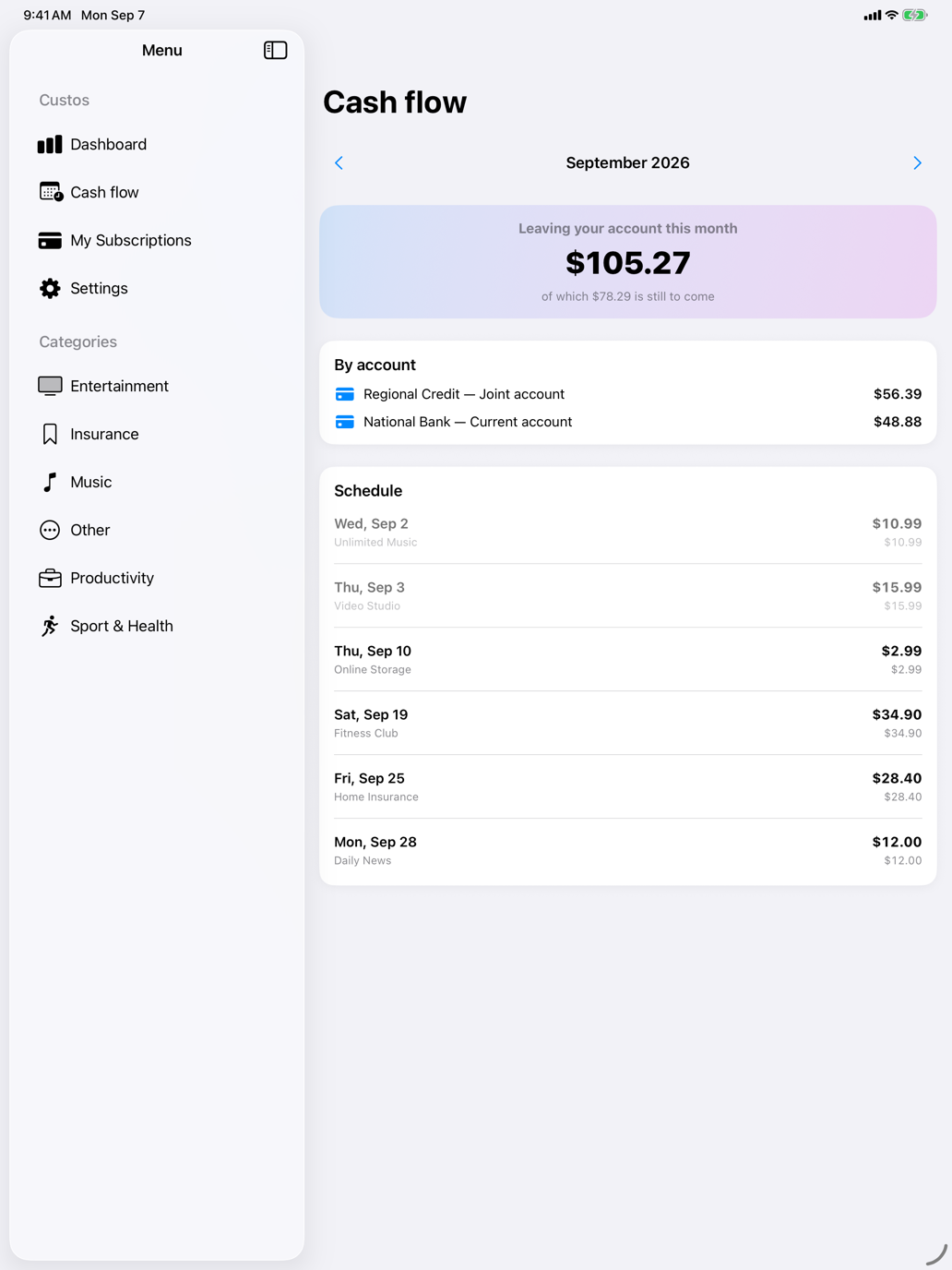
The month’s outgoings, split by bank account, with a day-by-day schedule.
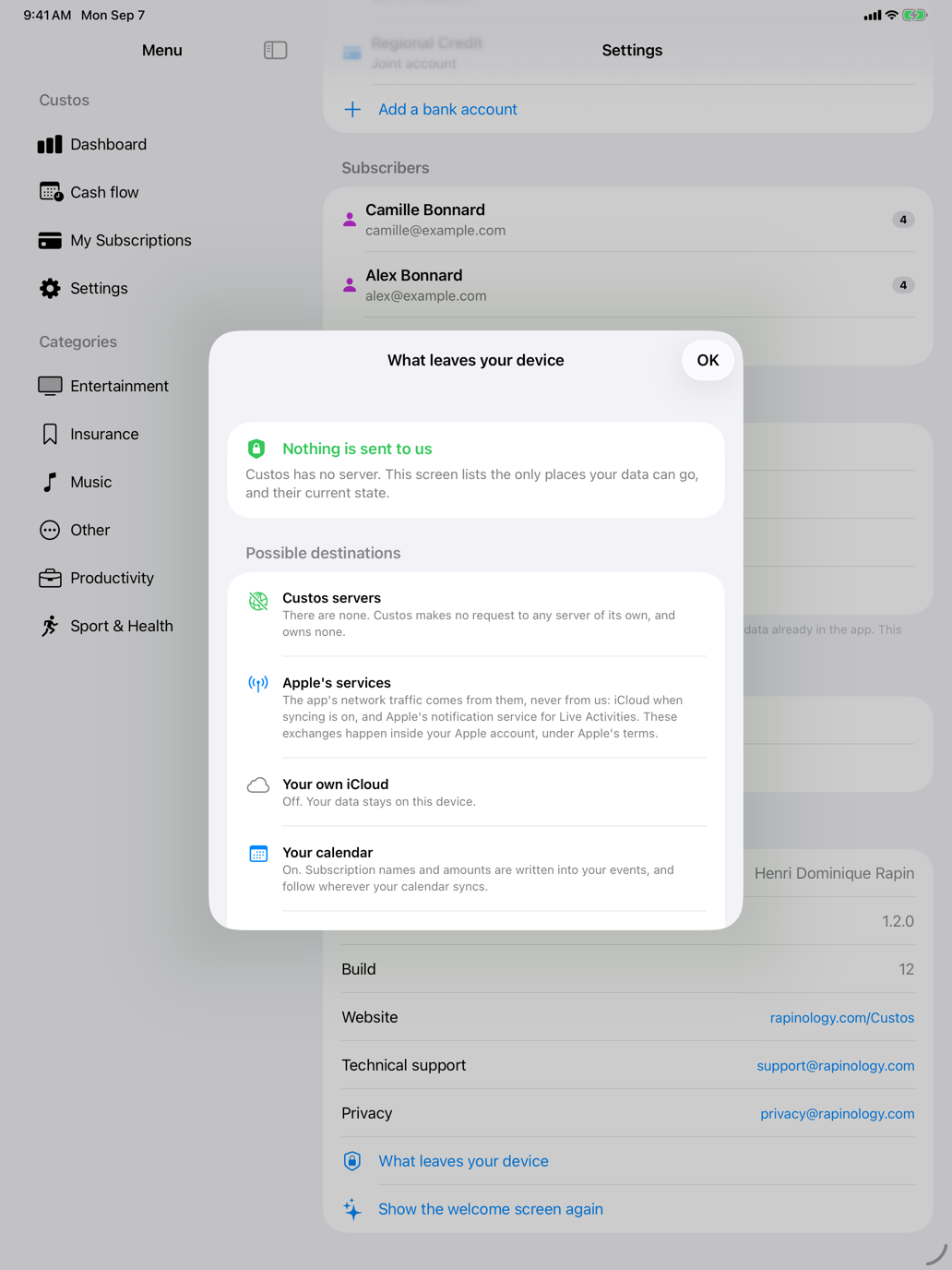
The screen lists the only possible destinations for your data, and their state.
On Mac
Four Mac screens, in the language of this page.
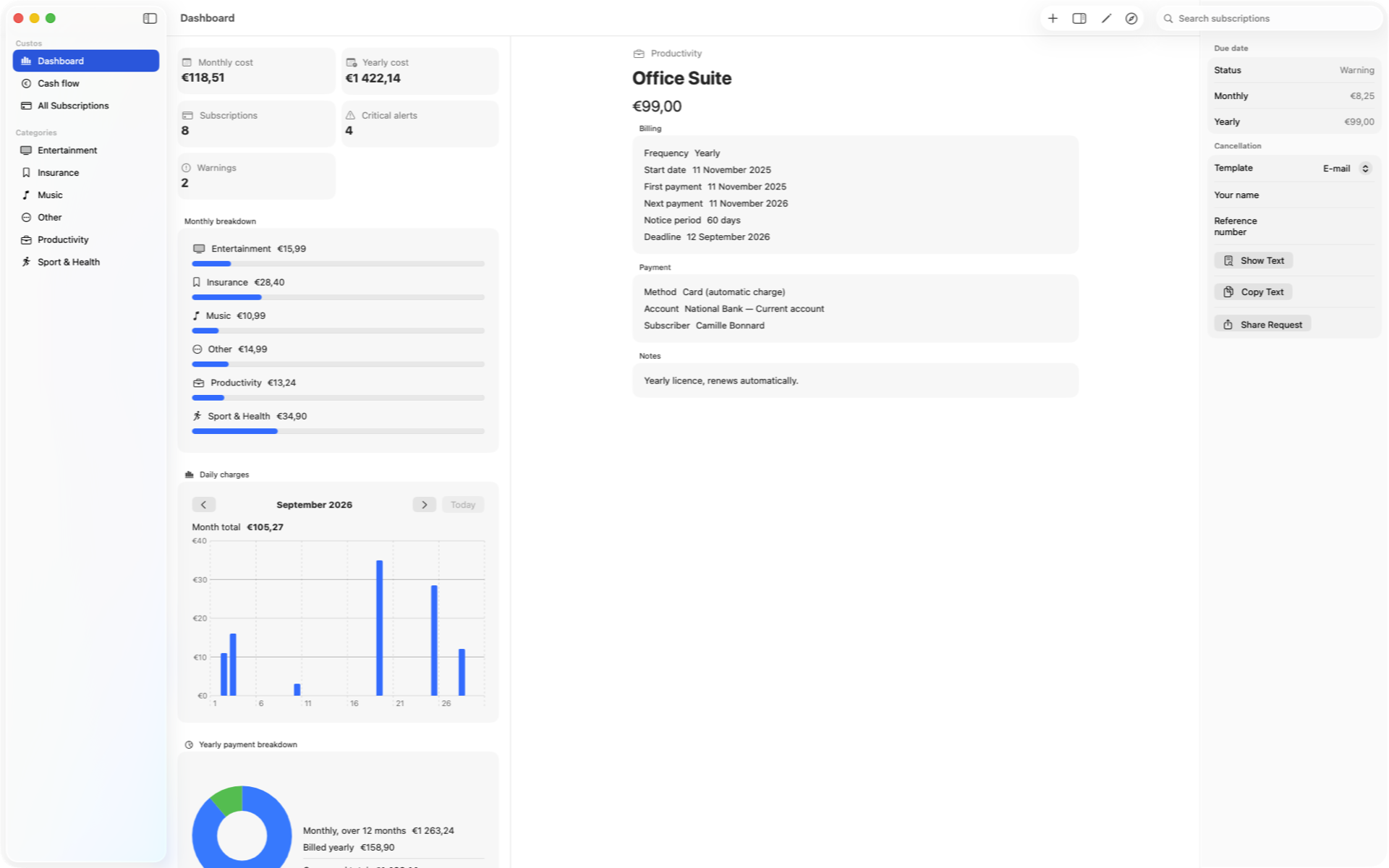
Costs smoothed monthly and yearly, alerts up top, breakdown by category.
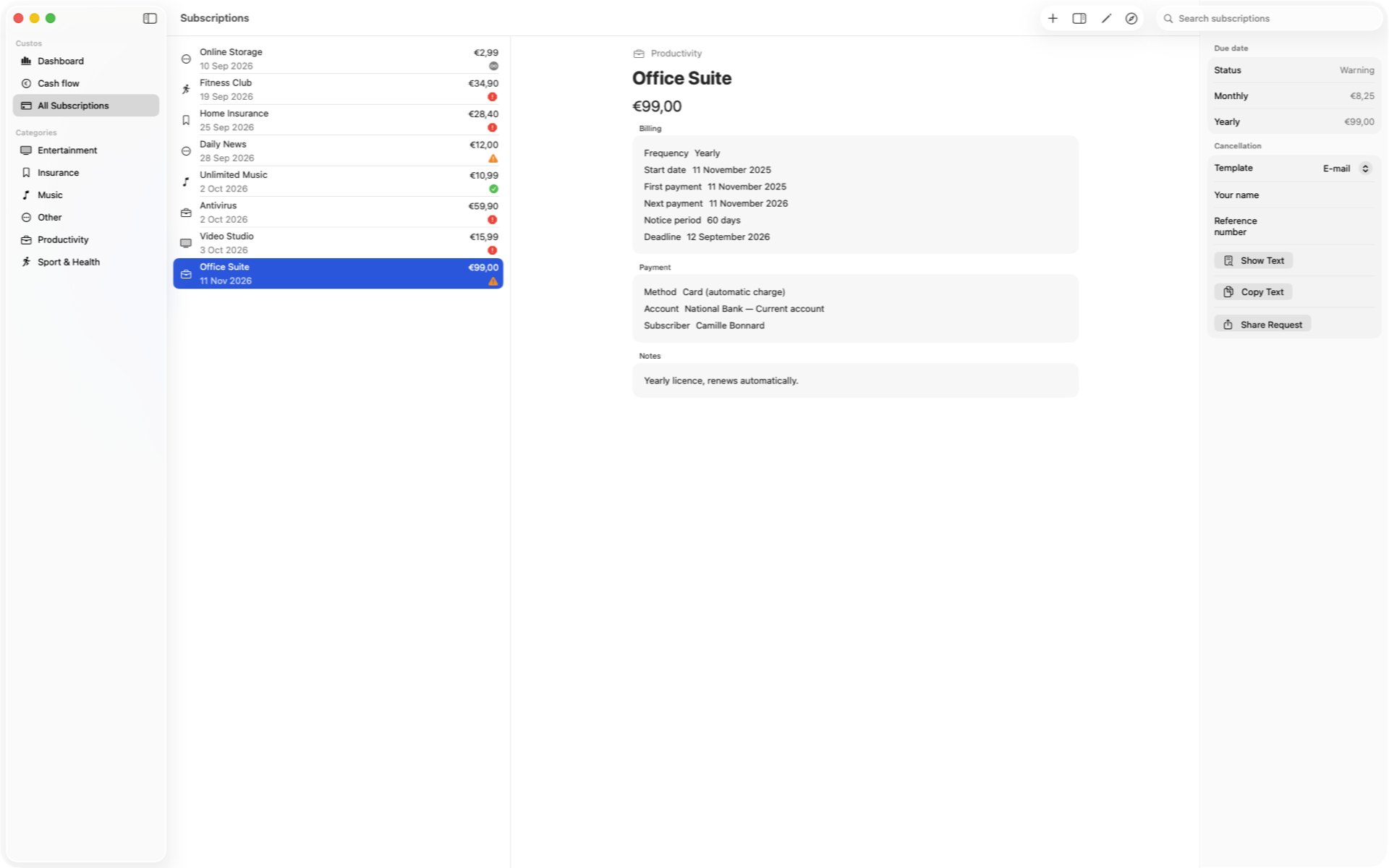
The cancellation deadline, worked out from the notice period, and its alert.
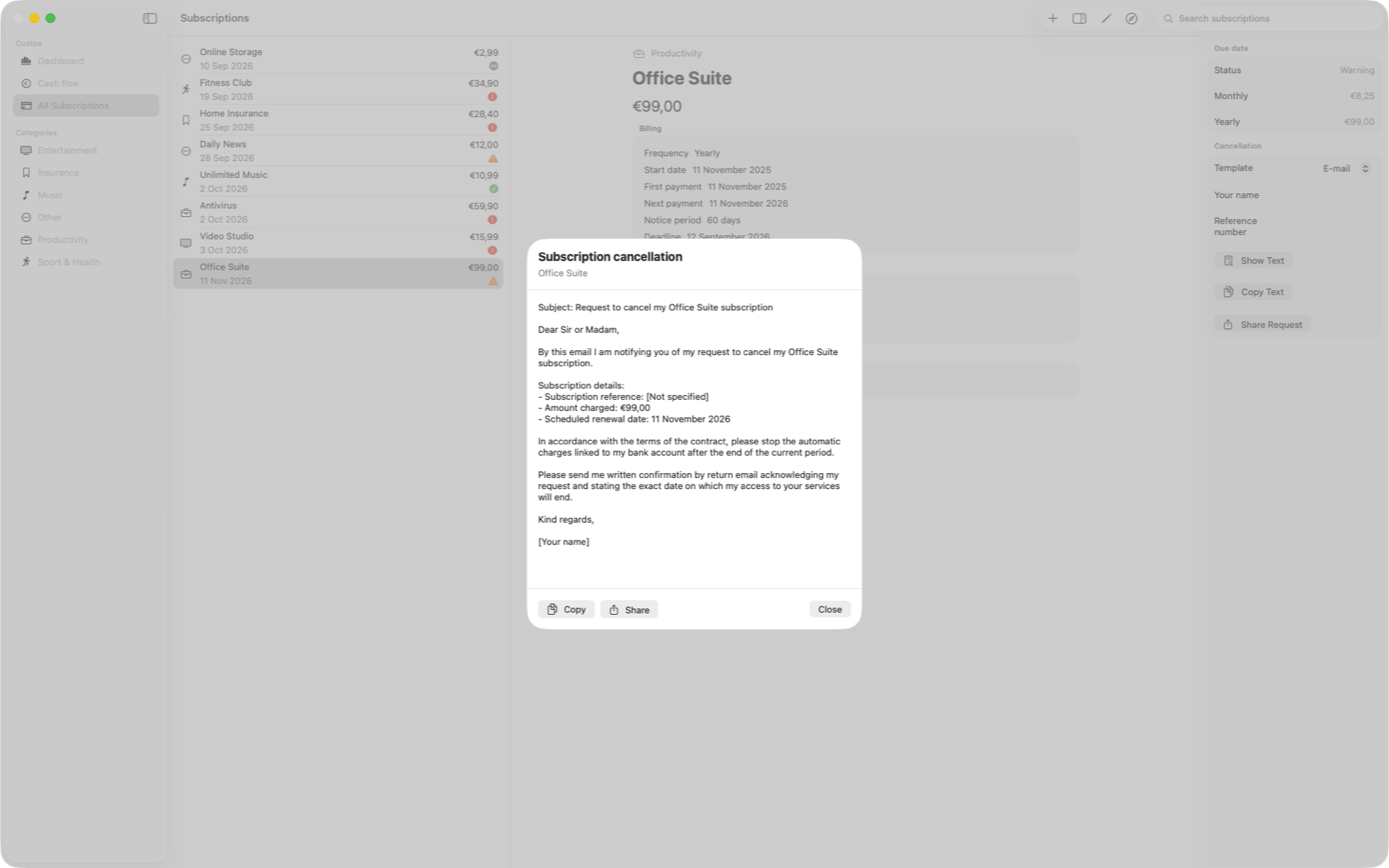
Email or registered letter, amount, reference and date already filled in.
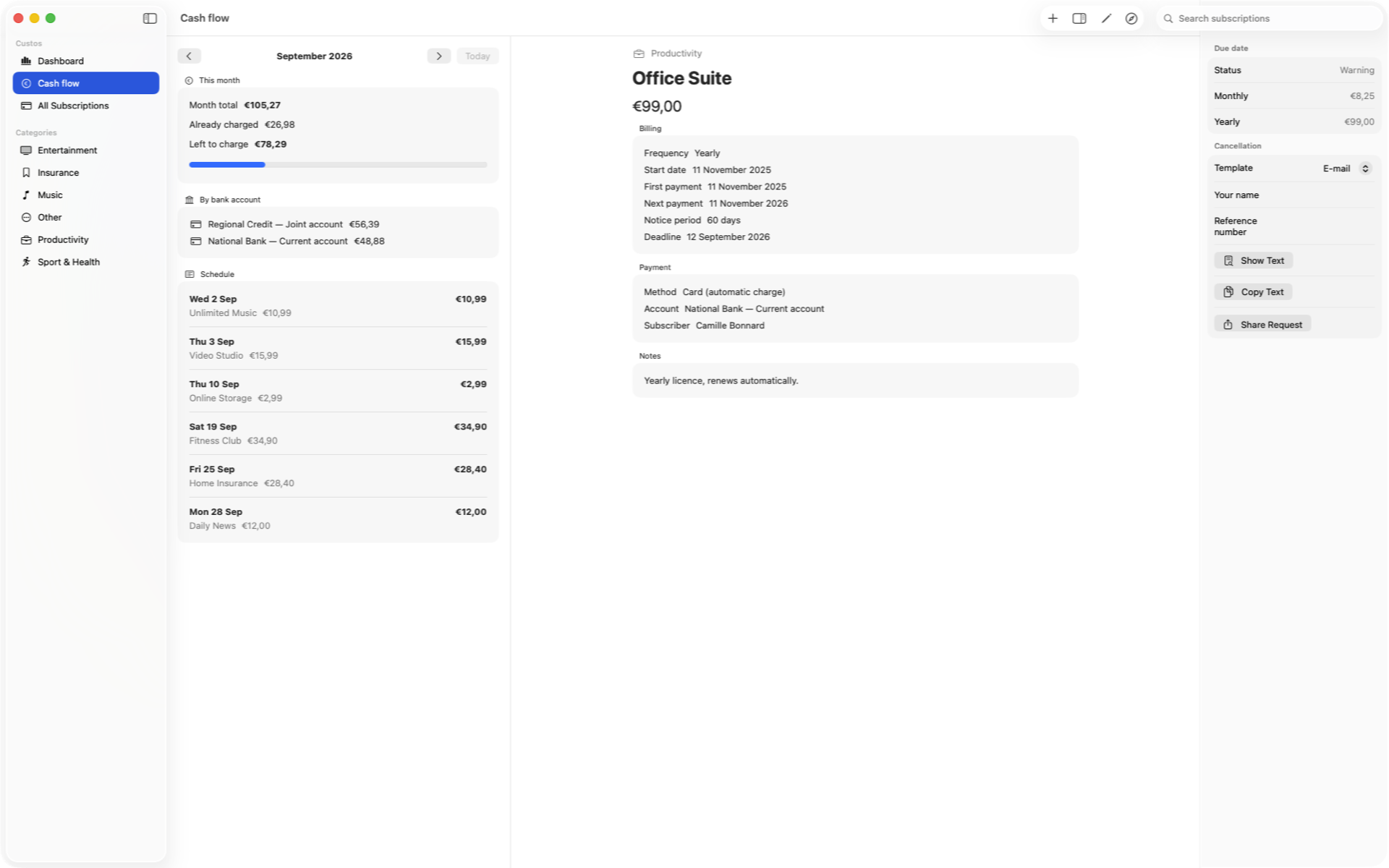
The month’s outgoings, split by bank account, with a day-by-day schedule.
On the wrist
Two Apple Watch screens, in the language of this page.
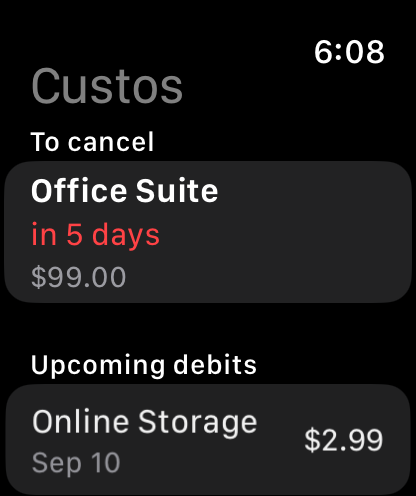
What is still to be cancelled, and in how many days.
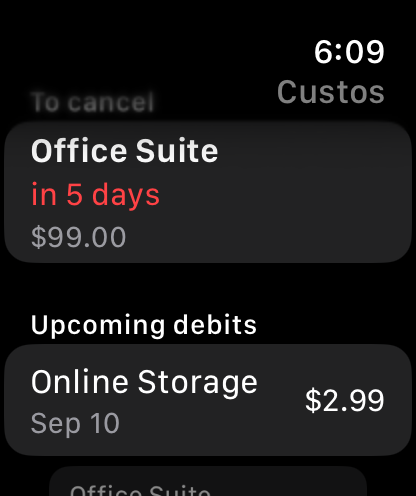
Your next charges, without reaching for your iPhone.
Siri, Spotlight & Shortcuts
Four Custos actions, each recognised through three phrasings, on iPhone, iPad, Mac and Apple Watch.
Data and privacy
Custos is built from the ground up around absolute privacy. No budget, bank account, subscription, or contact details are collected or shared.
Your entries reside on your iPhone via SwiftData. No account setup required.
Syncing across your devices is disabled by default and relies solely on your secure Apple account.
The app contains no ads, third-party analytics SDKs, or data selling.
We own no servers and run none: the app’s network traffic never goes to us. It comes only from Apple’s services — iCloud when syncing is on, and Apple’s notification service for Live Activities. Those exchanges happen inside your Apple account, under Apple’s terms.
privacy@rapinology.com →Support
Have a question, feedback, or a feature suggestion? The team is here to help.
support@rapinology.com →