Your cellar in detail
Inventory bottles, producers, regions, vintages, price and locations.
Native application for Mac, iPhone and iPad
Inventory, locations, tasting journal, vintages and food pairings: Vinum accompanies you from the cellar to the glass.

Vinum 2.1: tonight, tomorrow, and what's left in the cellar. • What to drink tonight? Home suggests three wines from your cellar, chosen by drinking window, season and, if you tell it, the dish. Also with Siri. • Vintage rankings. One year at a time, from exceptional to modest, with the bottles of that year you own. ⌘← and ⌘→ move from one year to the next. • To Rebuy. Just finished the last bottle of a wine you loved? Vinum offers to add it to your To Rebuy list. • A serving timer. Aeration, bringing to temperature, opening ahead: a notification tells you when the wine is ready. • Your cellar's value, month by month, based on your purchase prices. • More at home on the Mac. The list and the wine page side by side, each wine page in its own window, slots readable in the list; a Card menu and keyboard shortcuts; every action on a bottle can be undone with ⌘Z. • iCloud diagnostics now tell you whether a sync failure was temporary.

Vinum 2.1: tonight, tomorrow, and what's left in the cellar. • What to drink tonight? Home suggests three wines from your cellar, chosen by drinking window, season and, if you tell it, the dish. Also as a widget, on Apple Watch and with Siri. • Vintage rankings. One year at a time, from exceptional to modest, with the bottles of that year you own. • To Rebuy. Just finished the last bottle of a wine you loved? Vinum offers to add it to your To Rebuy list. • A serving timer. Aeration, bringing to temperature, opening ahead: the countdown shows on the Lock Screen and in the Dynamic Island. • Your cellar's value, month by month, based on your purchase prices. • More at home on iOS. A single tab bar that becomes a sidebar on iPad; context menus and keyboard shortcuts; every action on a bottle can be undone; contrast reviewed. • iCloud diagnostics now tell you whether a sync failure was temporary.
Features
Inventory bottles, producers, regions, vintages, price and locations.
Visualize each cellar in 2D and move bottles with drag and drop.
Track peak drinking windows and spot the bottles ready to drink.
Keep tasting notes and find the wine in your cellar matching your dish.
Application Preview
A sleek and polished interface, designed to help you track, organize, and taste your bottles with ease.
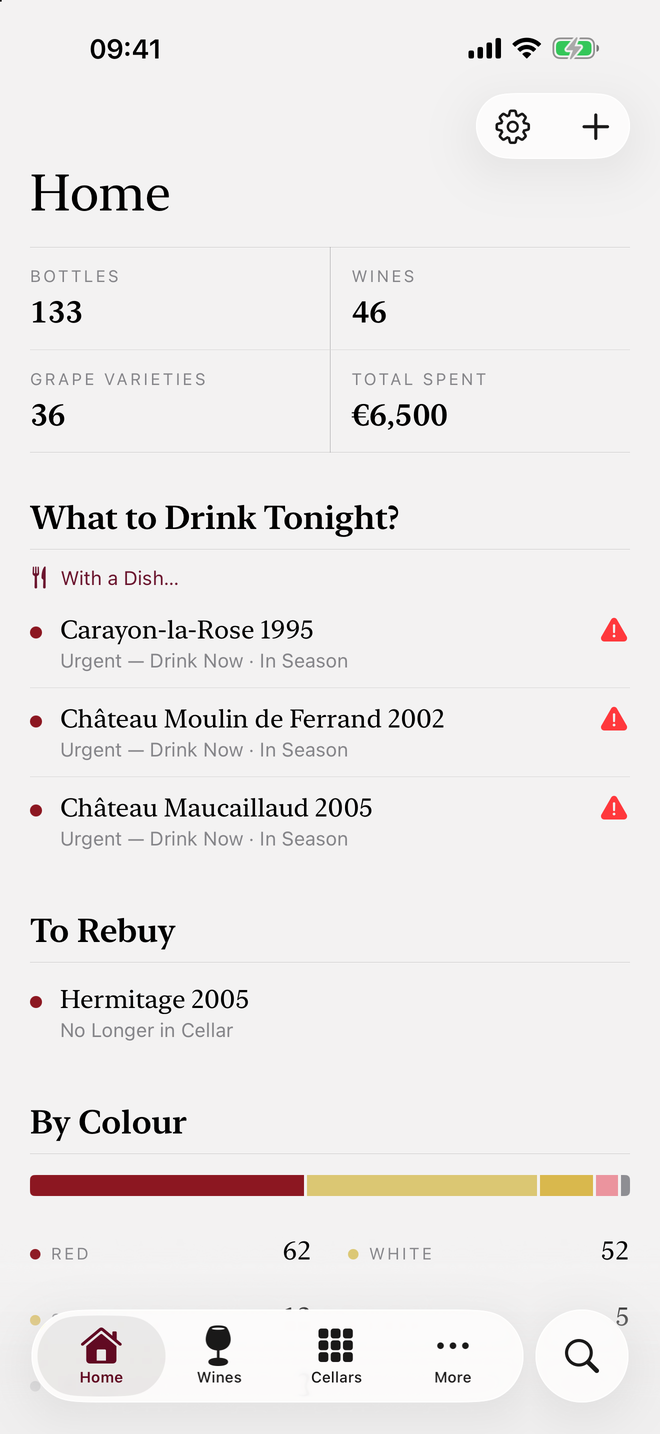
Bottles, wines, grape varieties and amount invested, then the wines to drink first tonight.
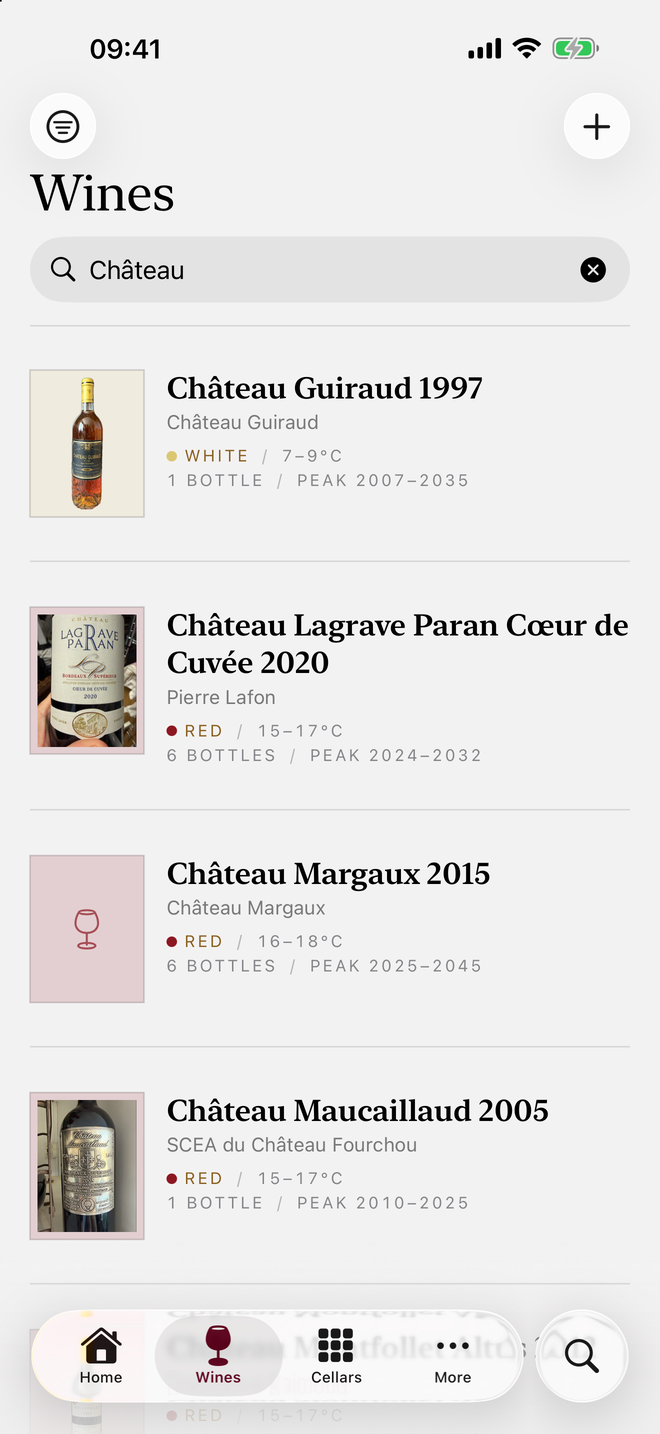
The wine list, with the label, color, serving temperature, number of bottles and drinking window.
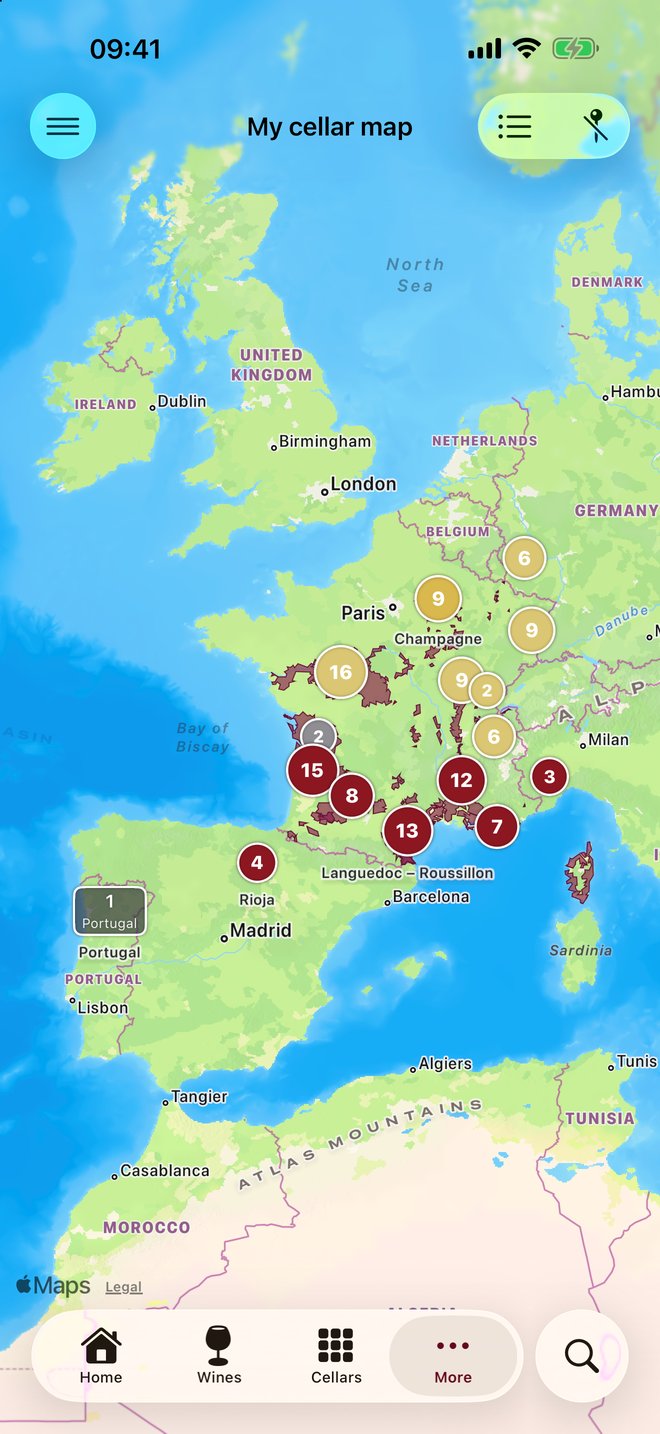
Your bottles grouped on the map, over the drawn vineyard areas.
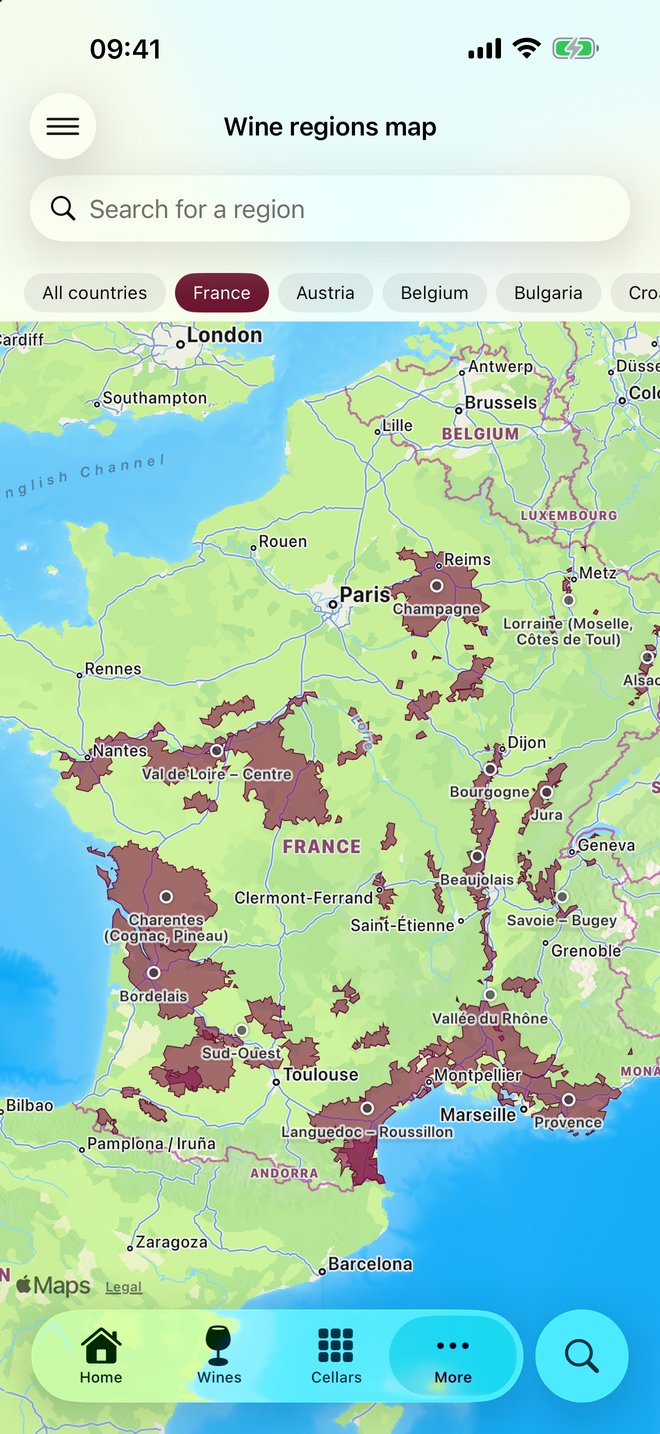
Wine regions traced on the map, with a country filter and a region search.
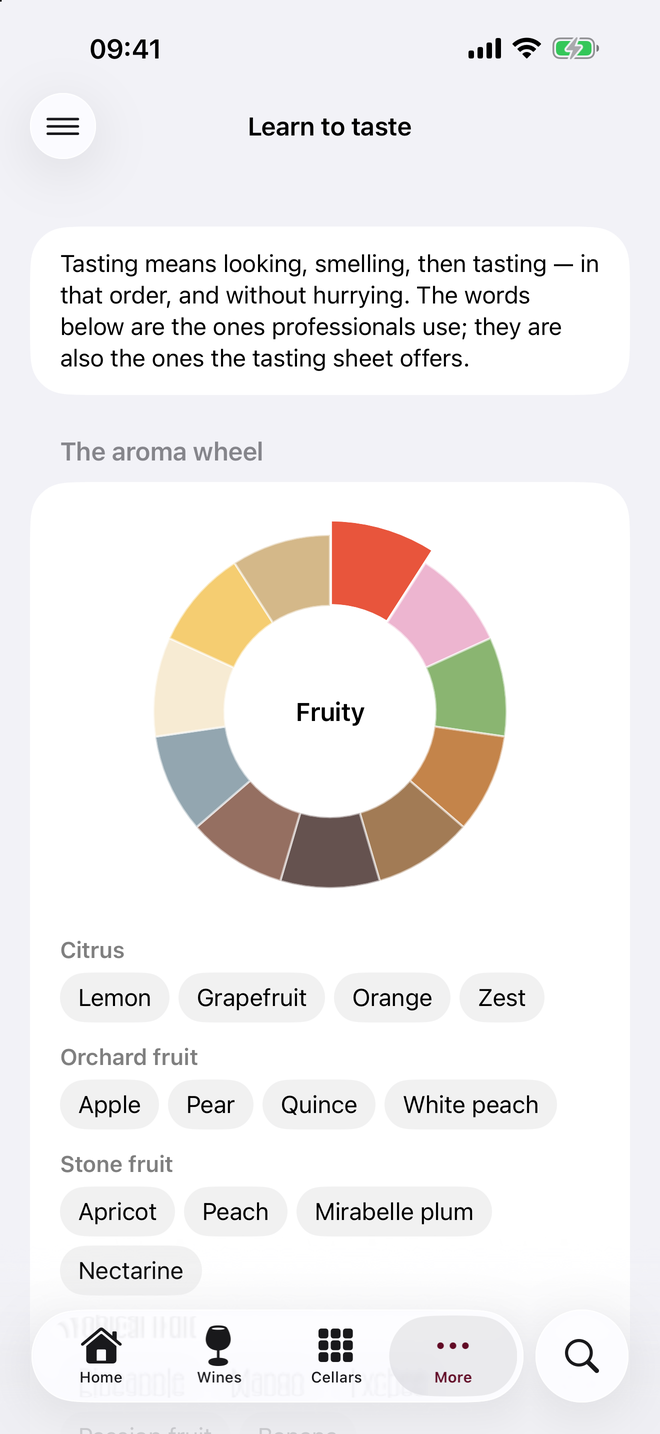
An aroma wheel by family, then the words for each family, from citrus to yellow fruit.
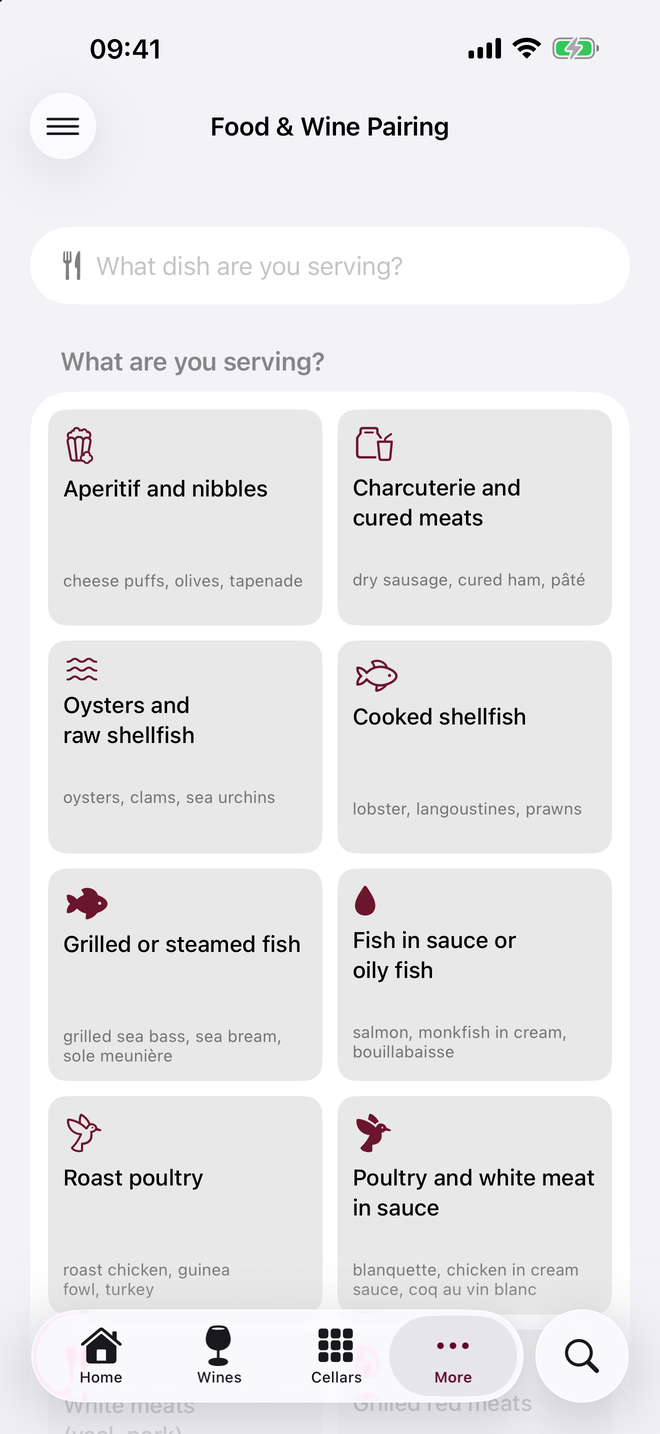
A grid of dish families, from appetizers to poultry: pick what you are serving.
On iPad
The same six screens on iPad, in the language of this page.
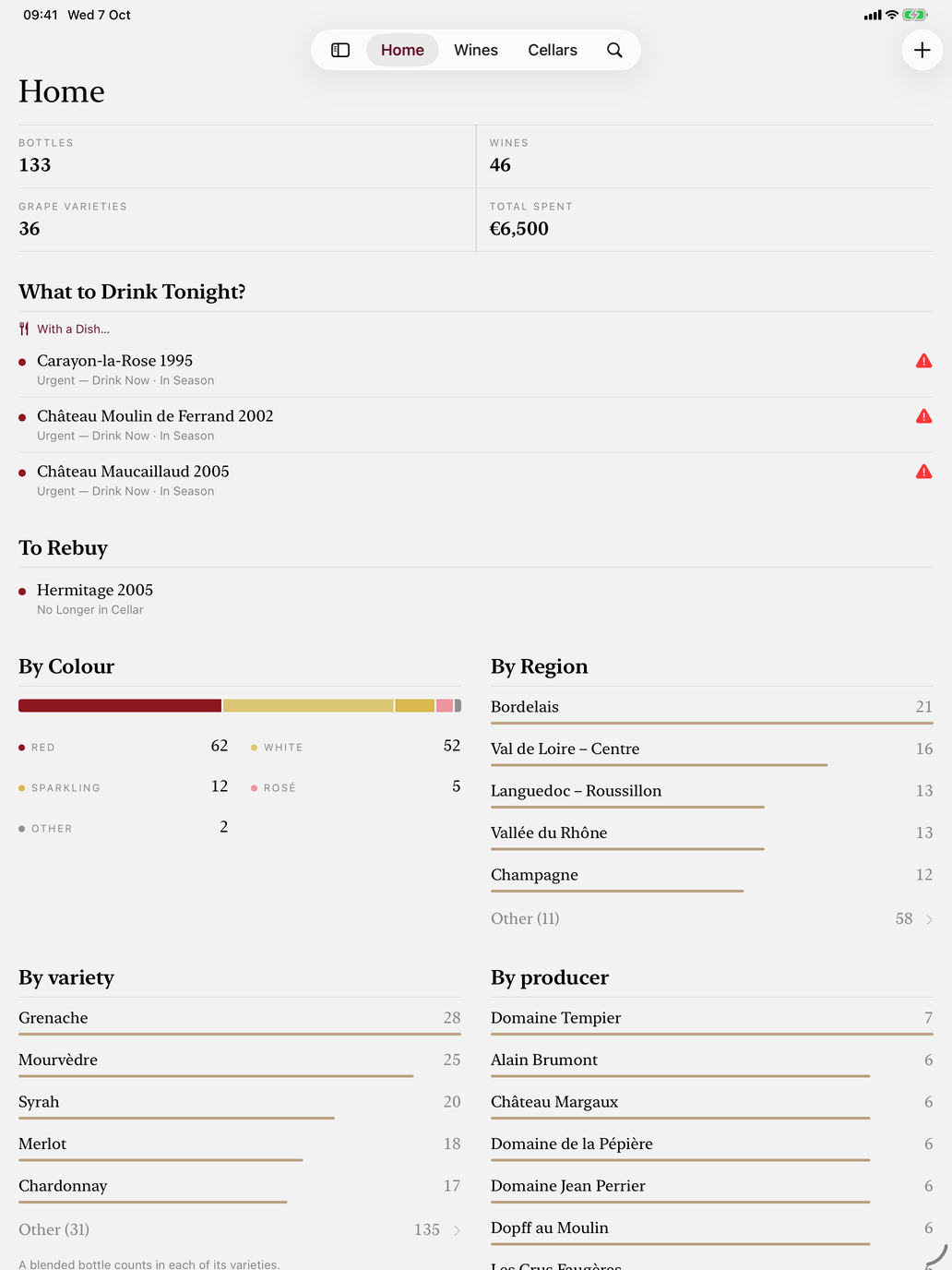
Bottles, wines, grape varieties and amount invested, then the wines to drink first tonight.
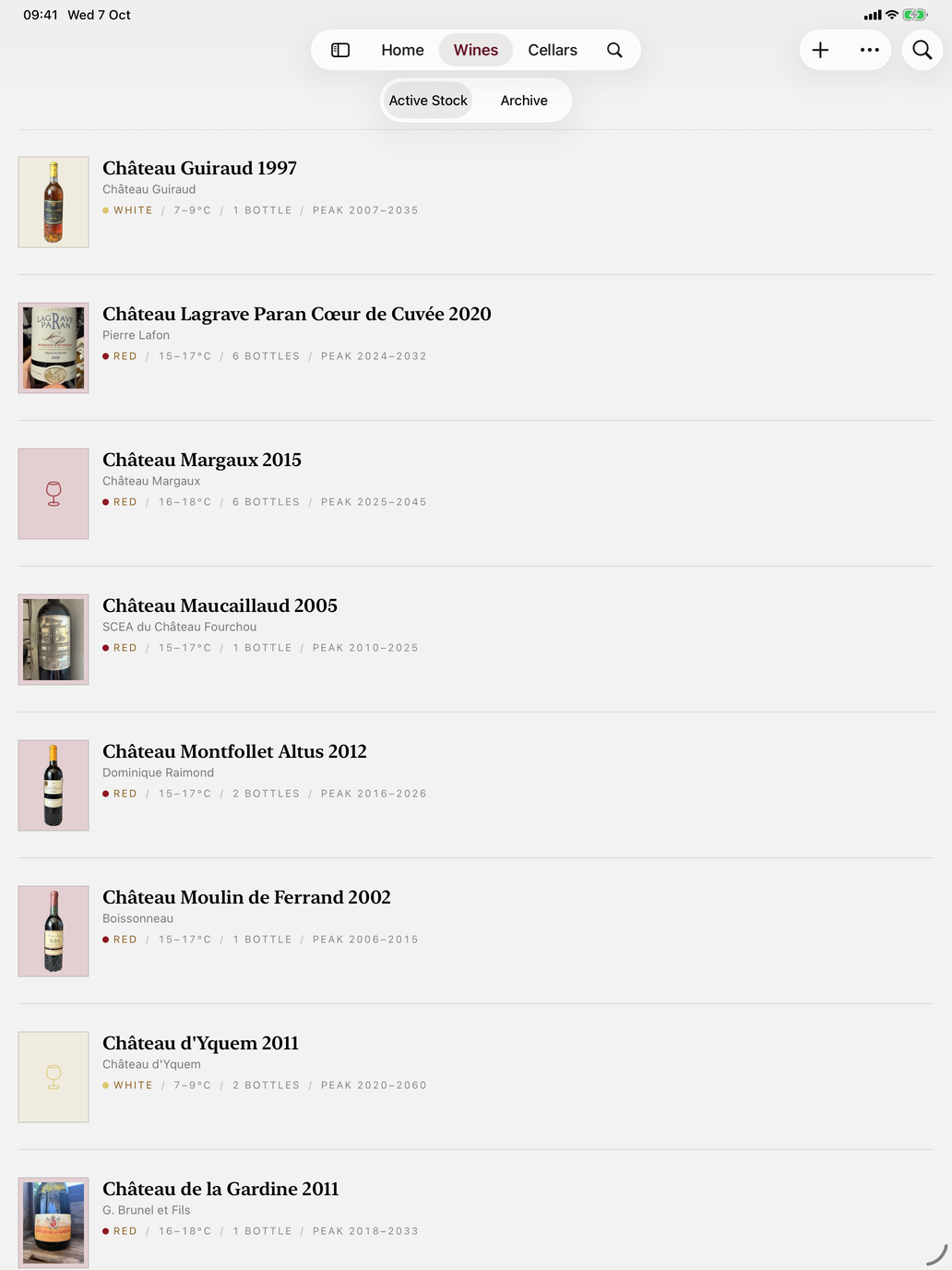
The wine list, with the label, color, serving temperature, number of bottles and drinking window.
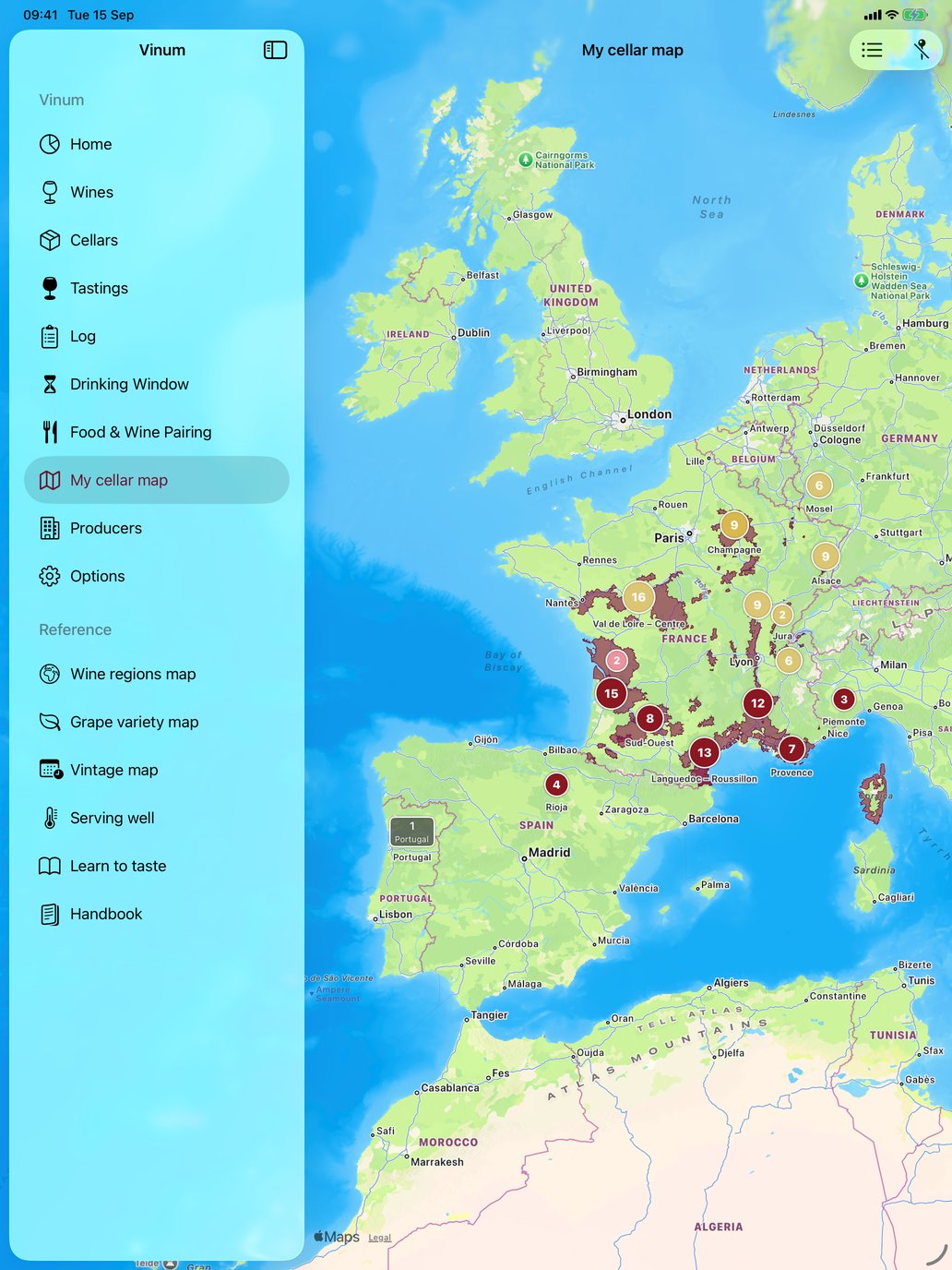
Your bottles grouped on the map, over the drawn vineyard areas.
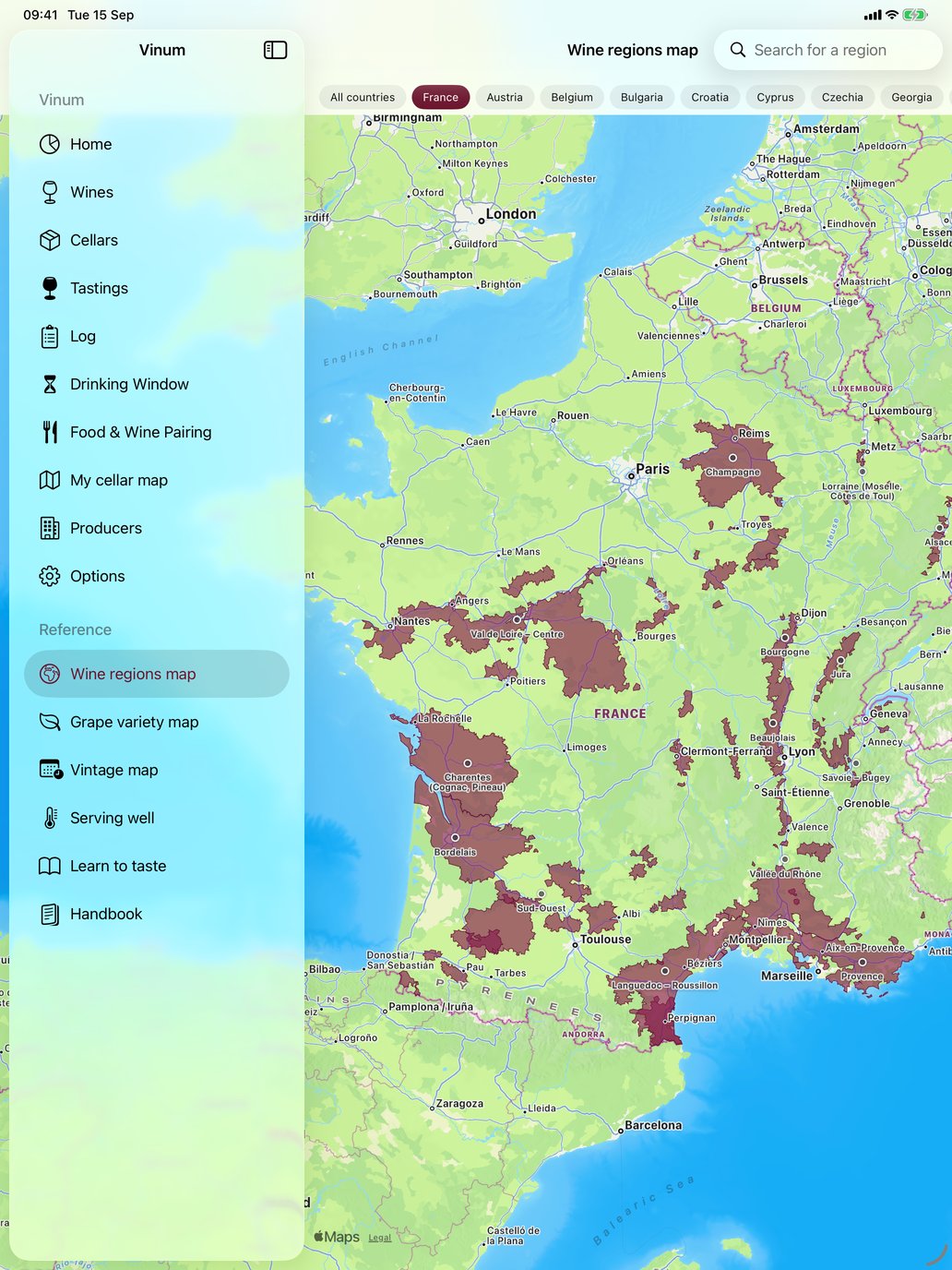
Wine regions traced on the map, with a country filter and a region search.
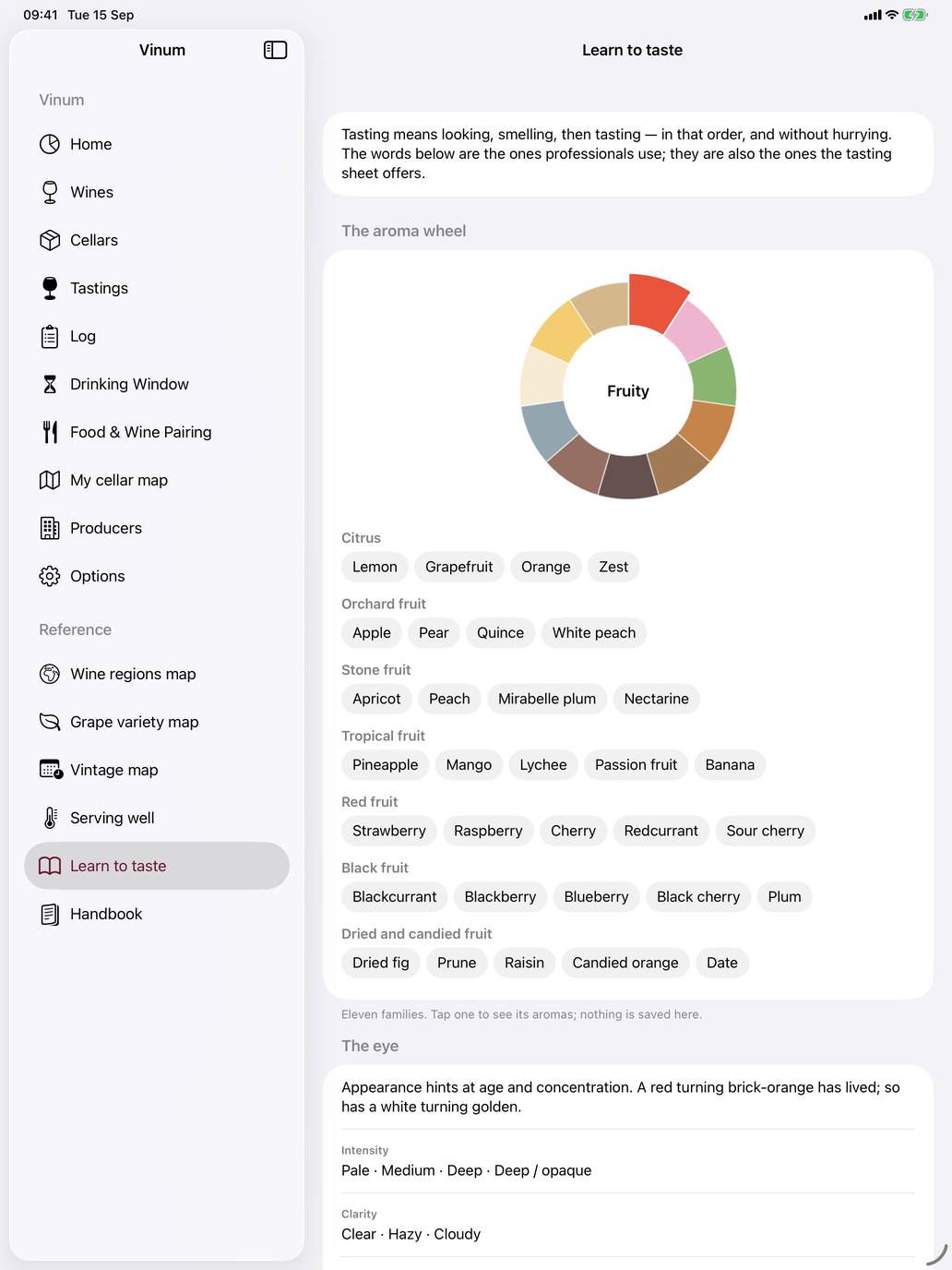
An aroma wheel by family, then the words for each family, from citrus to yellow fruit.
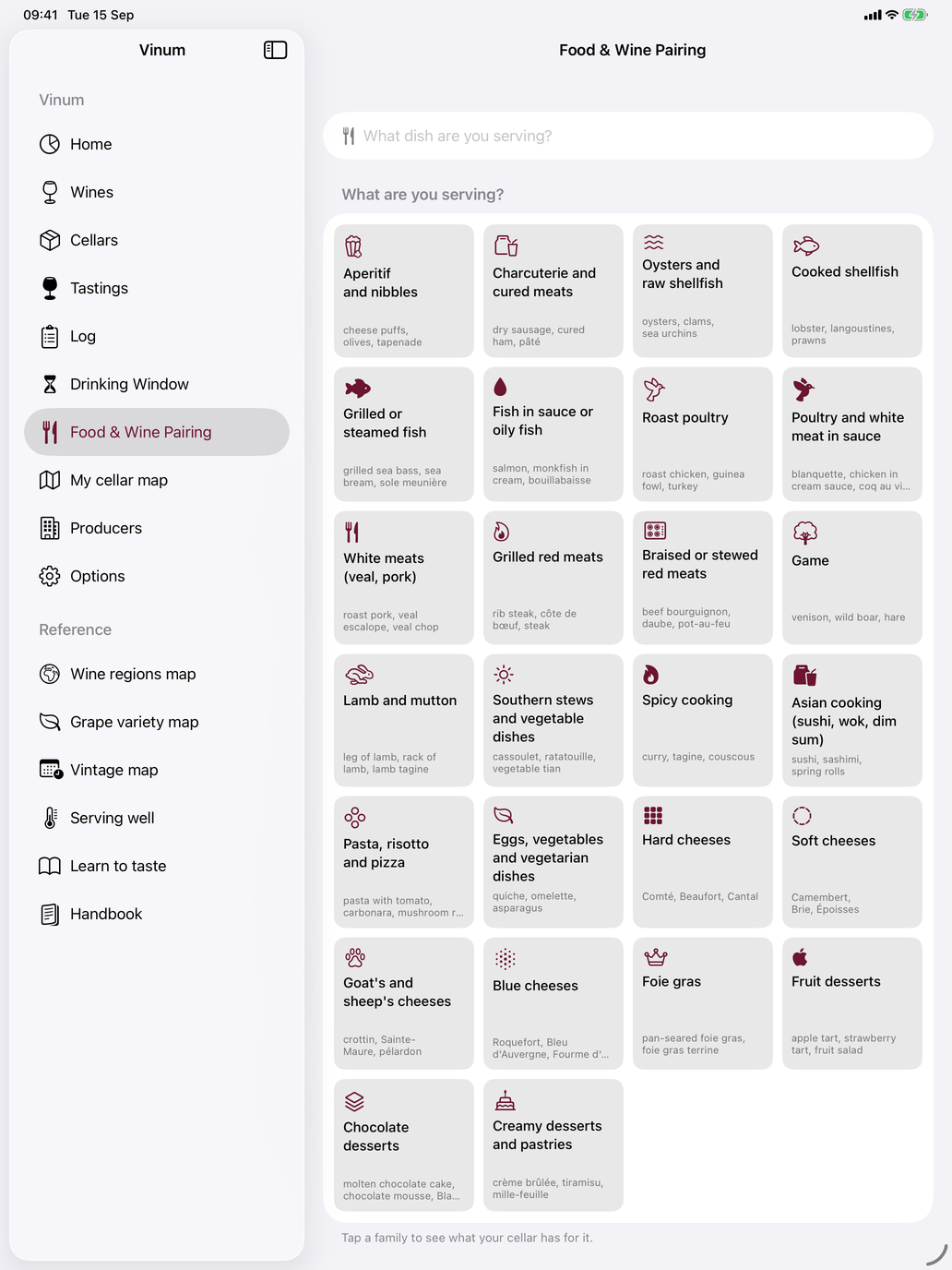
A grid of dish families, from appetizers to poultry: pick what you are serving.
On Mac
Three Mac screens, in the language of this page.
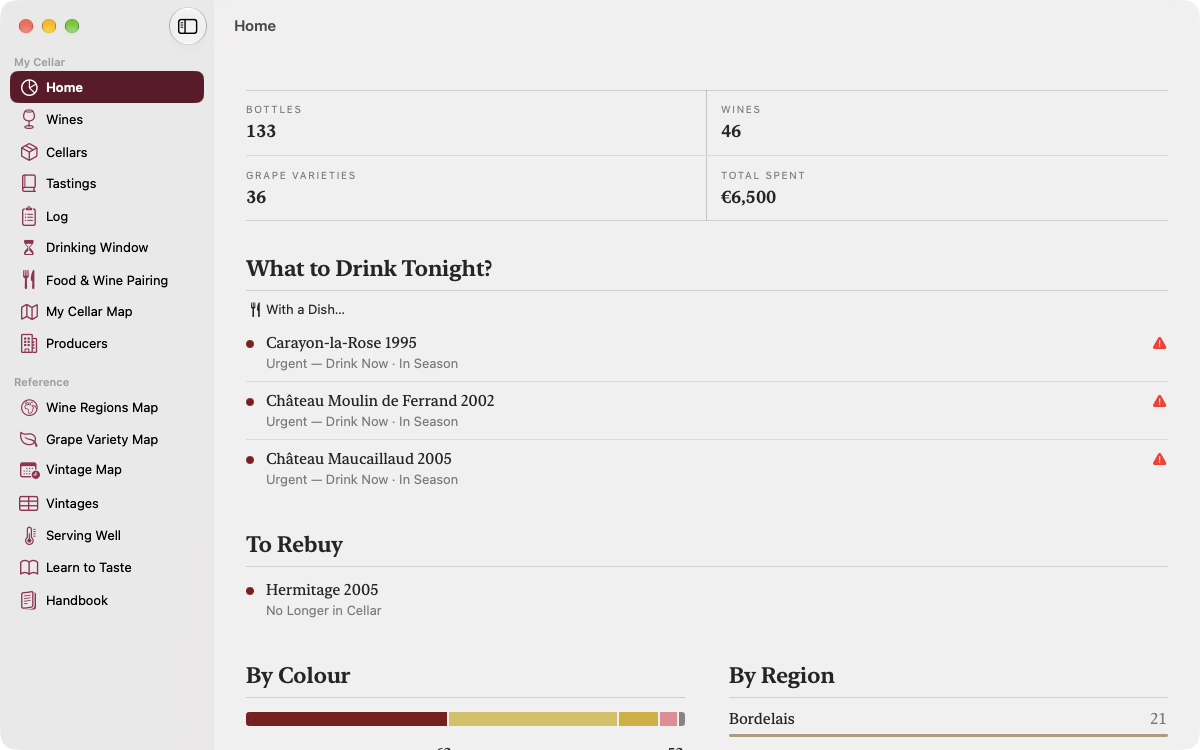
Cellar figures, the wines to drink first tonight and those to buy again, with the Mac sidebar.
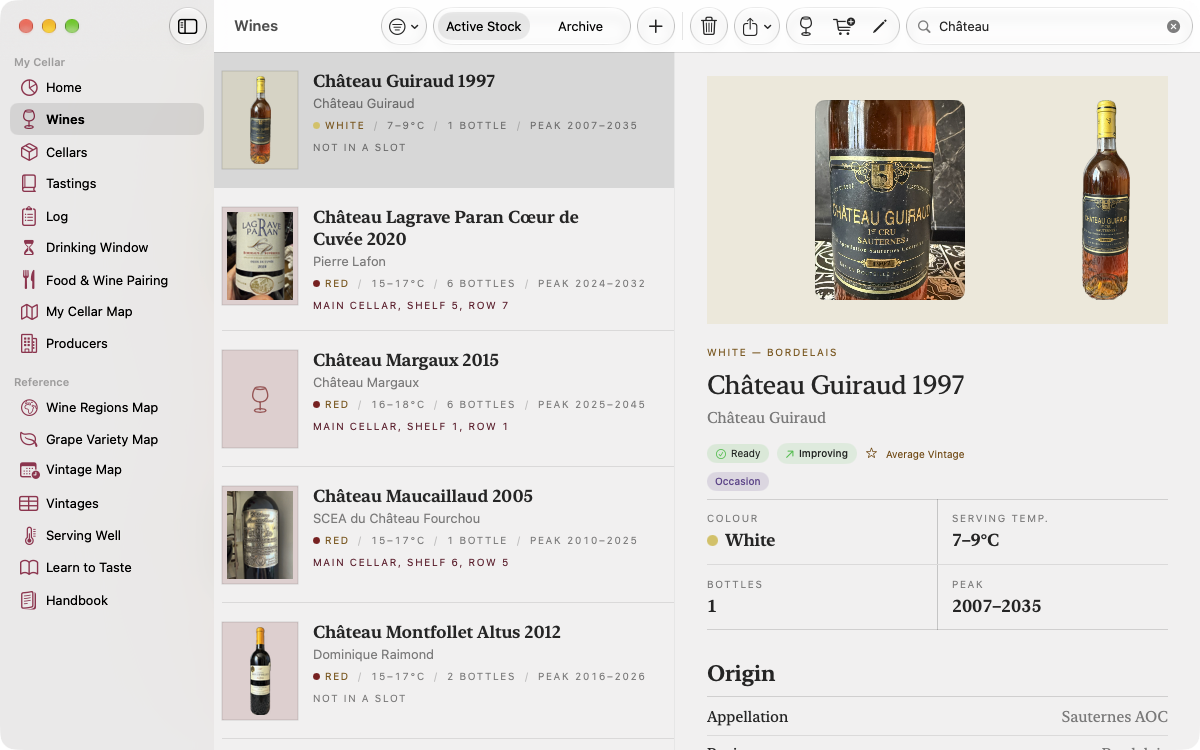
The wine list in the middle, the selected wine’s page on the right: photos, drinking window, serving temperature.
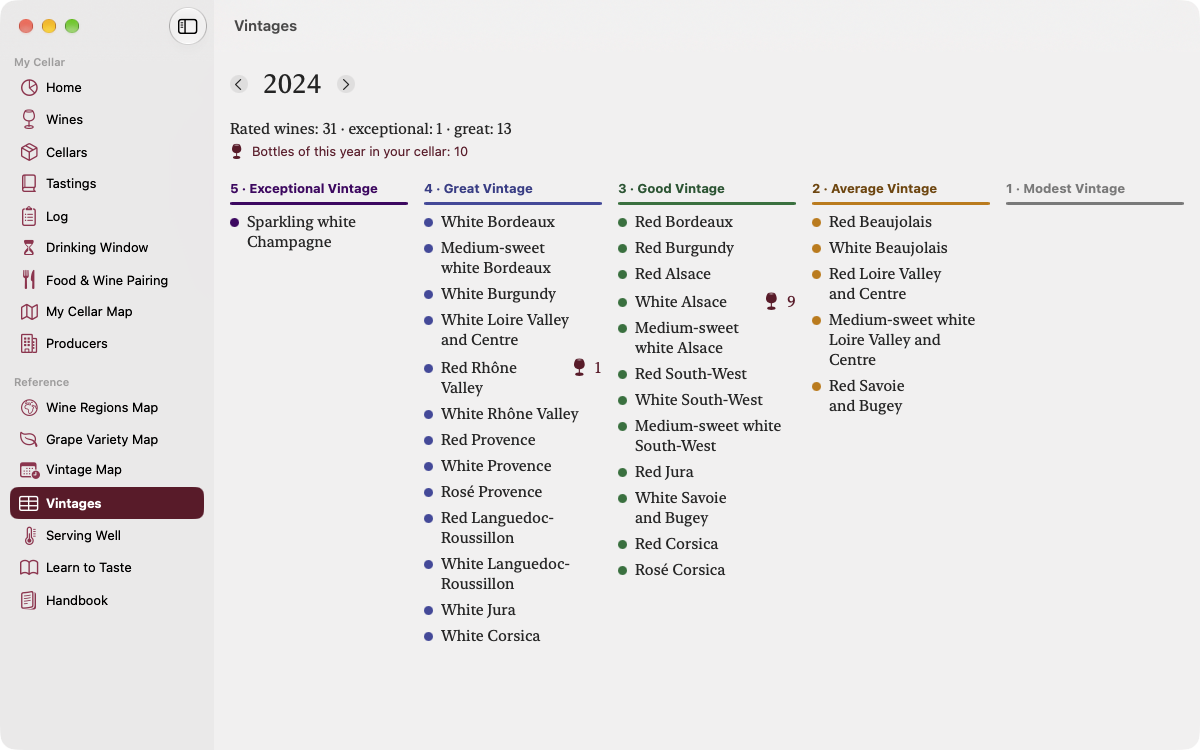
For one year, regions ranked from exceptional to modest vintage, and how many of your bottles are from that year.
On the wrist
Three Apple Watch screens. They exist in French only, so the screens show French.
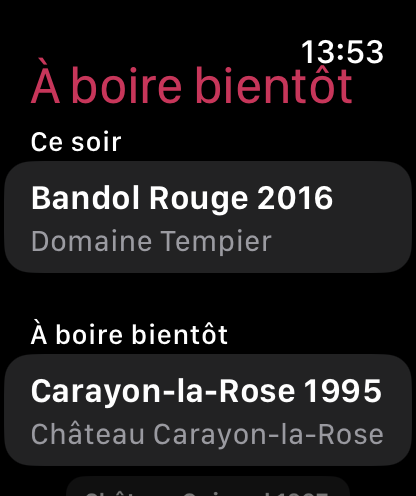
The wine to open tonight, then those to drink soon.
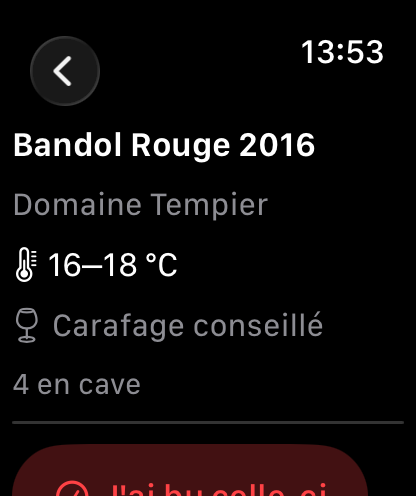
Serving temperature, decanting advice and bottles in the cellar.
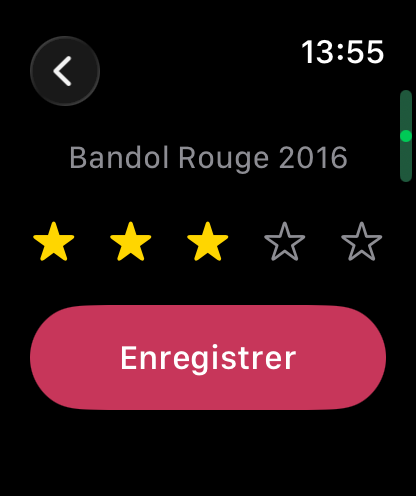
A one-to-five-star rating, saved from the watch.
Siri, Spotlight and Shortcuts
10 Siri commands and 10 actions in the Shortcuts app, on iPhone, iPad and Mac.
Siri commands
Actions in the Shortcuts app
Local Intelligence
Describe your dish. Vinum searches for the best pairings among your bottles, using Apple Intelligence when available. Processing remains entirely local.
Data and Privacy
Vinum uses no ads, tracking tools, or third-party services. Your data stays on your Mac, iPhone, or iPad.
If you enable iCloud, it syncs in a private CloudKit database linked to your Apple account.
Documentation
Around sixty illustrated pages telling Vinum in the order you discover it: putting away your first bottles, reading a vintage, keeping a tasting notebook, serving each wine at its temperature. Read it before you open the app — or in the evening, once the cellar is tidy.
Download the booklet →Support
For any questions about Vinum, please contact us.
support@rapinology.com →