Your cellar in detail
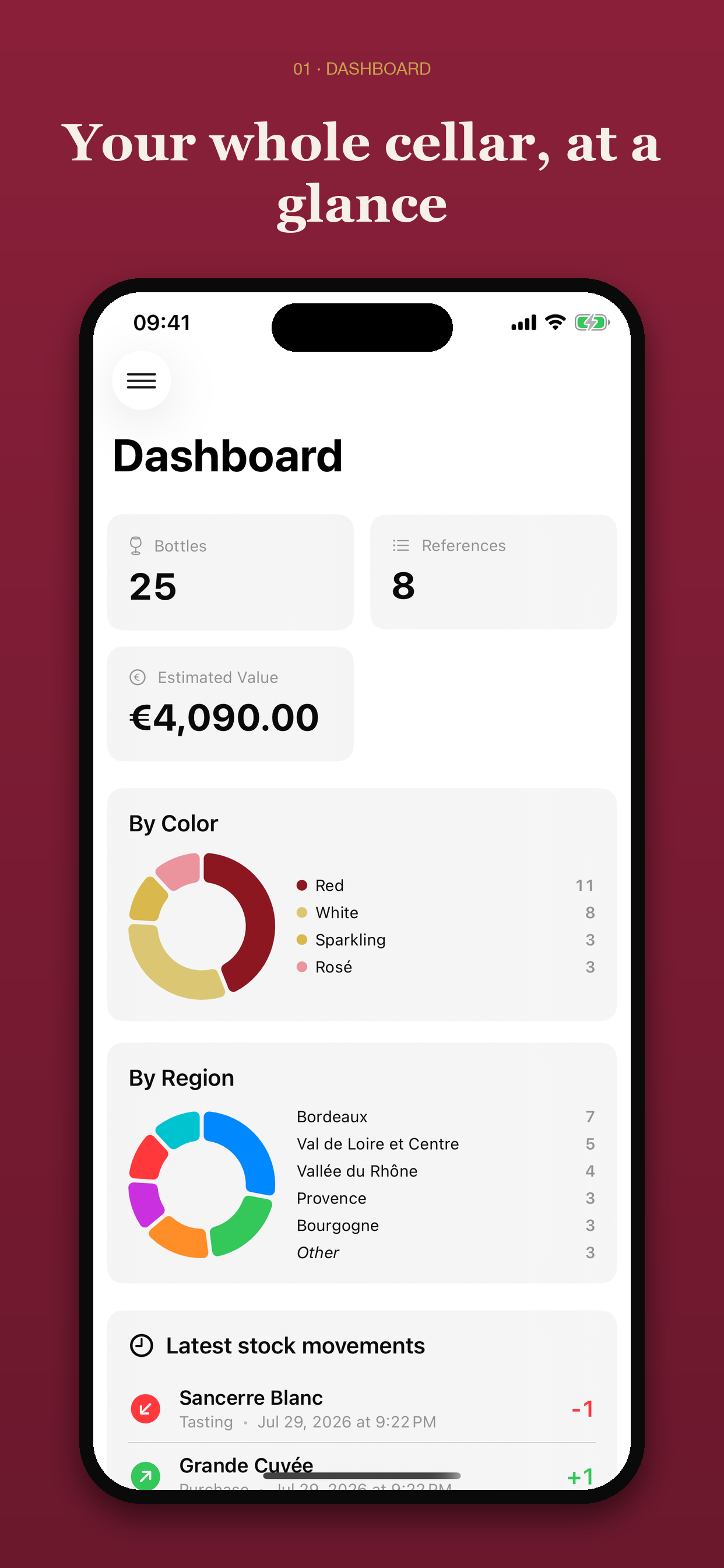
Inventory bottles, producers, regions, vintages, price and locations.

Native application for Mac, iPhone and iPad
Inventory, locations, tasting journal, vintages and food pairings: Vinum accompanies you from the cellar to the glass.

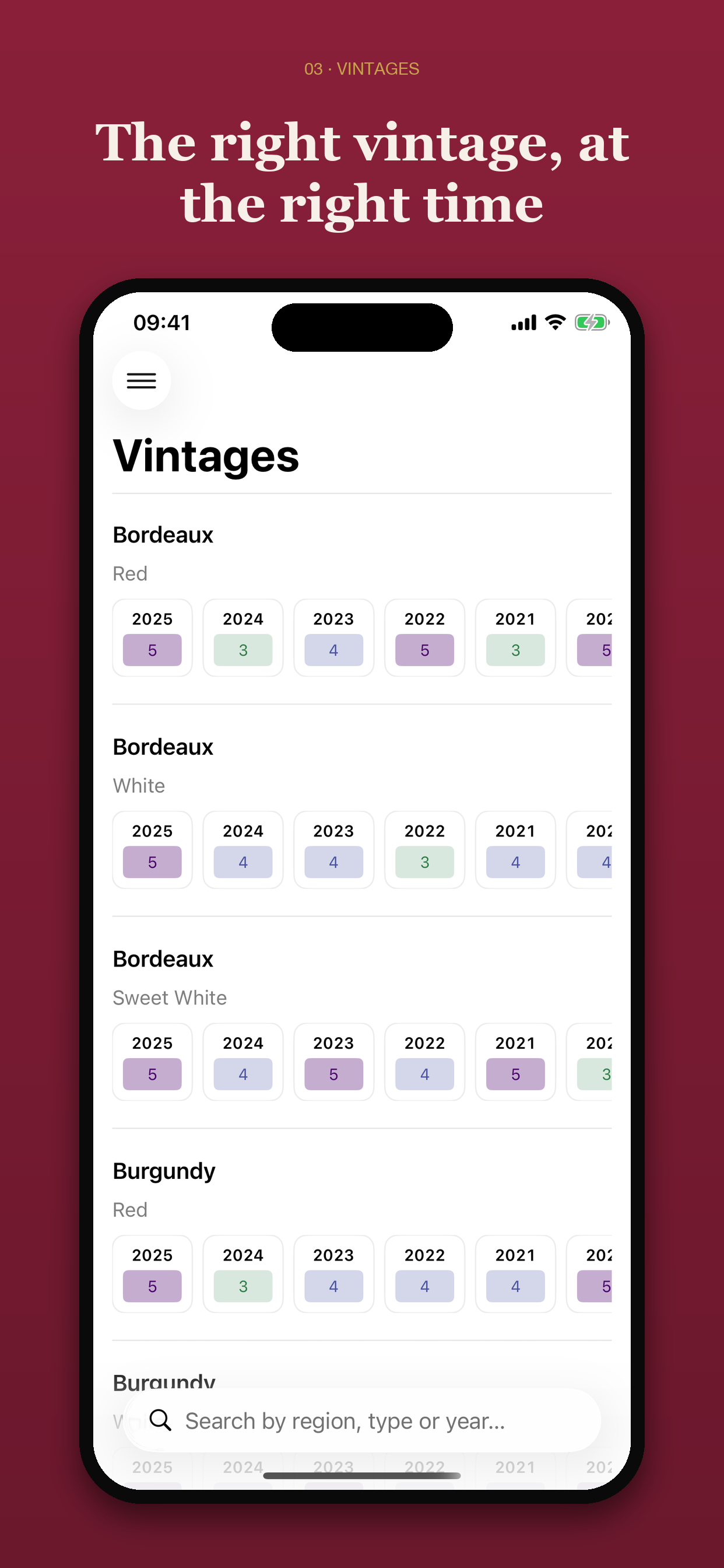
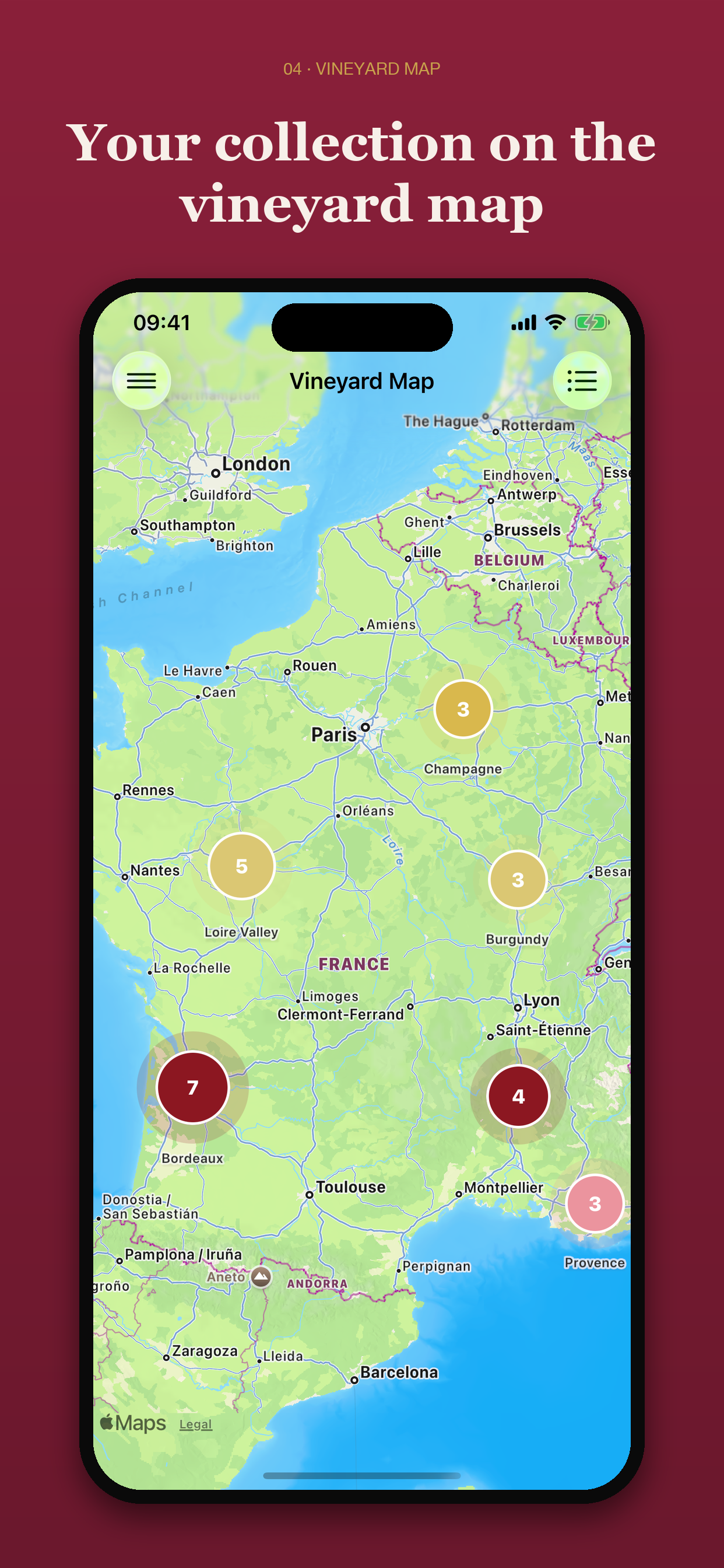
Vinum 2.0: the biggest update since the very first version. • A cellar you can read at a glance. The list, the wine page and Home have been redesigned: the bottle in a photo, cut out from its background, the name set large, and four cues (colour, serving, stock, drinking window). One wine, one row, even when it sits in several slots. • The vineyard as it is. The maps draw the appellation areas delimited by the INAO. An atlas describes one hundred and eighty regions across twenty-two countries. And a Vintages section tells you how each year fared, region by region. • Your data, kept safe. A full backup every day, in iCloud Drive, on an external disk or on this Mac, and a safety copy before anything that can’t be undone. iCloud sync with your other devices is more reliable. When it stalls, a diagnostic says why, and can be copied or shared without giving away anything from your cellar. • Keyboard and mouse. ⌘N, ⌘⇧N and ⌥⌘N create a bottle, a cellar or a tasting from any screen, even with the window closed. Right-click a wine, a cellar, a tasting or a slot in the cellar plan to open its menu. Esc closes sheets, and ⌘⌫ deletes after a confirmation that names what goes. • Labels read, cellars imported. Reading a photo stays within the label: not the wine next to it, not the shelf price. Vinum suggests the right wine, and its colour. CSV import reads files exported by other cellar apps. • A handbook, seven languages. Eighteen illustrated chapters, readable offline and opened with ⌘?: what each screen does, and the wine behind it. Japanese and Simplified Chinese join French, English, German, Spanish and Italian. • Safer data entry. Nothing you type gets lost, and Cancel really cancels. The form no longer asks for the same thing twice, and a greyed-out Save tells you what is missing.

Vinum 2.0: the biggest update since the very first version. • A cellar you can read at a glance. The list, the wine page and Home have been redesigned: the bottle in a photo, cut out from its background, the name set large, and four cues (colour, serving, stock, drinking window). One wine, one row, even when it sits in several slots. • On your wrist and your Home Screen. Vinum arrives on Apple Watch: the bottles to drink soon and, in a single gesture, a rating or a bottle marked as drunk. Two widgets, “My cellar” and “Drink soon”; the second opens the very wine it names. • The vineyard as it is. The maps draw the appellation areas delimited by the INAO. An atlas describes one hundred and eighty regions across twenty-two countries. And a Vintages section tells you how each year fared, region by region. • Your data, kept safe. A full backup every day, in the folder of your choice, and a safety copy before anything that can’t be undone. iCloud sync between your devices is more reliable. When it stalls, a diagnostic says why, and can be shared without giving away anything from your cellar. • Labels read, cellars imported. The camera finds the label and reads only that; Vinum suggests the right wine, and its colour. CSV import reads files exported by other cellar apps. • A handbook, seven languages. Eighteen illustrated chapters, readable offline: what each screen does, and the wine behind it. Japanese and Simplified Chinese join French, English, German, Spanish and Italian. • Safer data entry. Nothing you type gets lost. A greyed-out Save tells you what is missing, a deletion names what it deletes, and screens stay readable at the largest text sizes.
Features
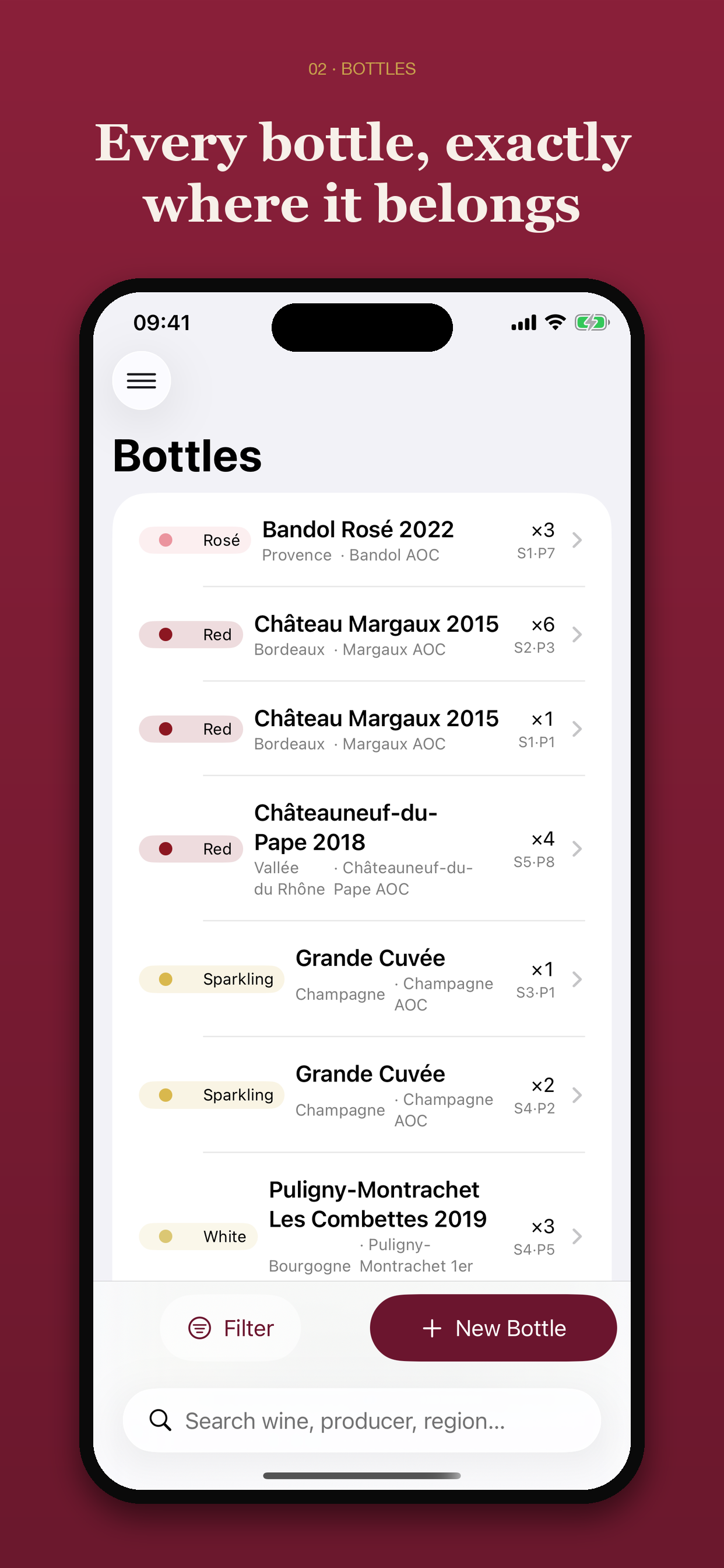
Inventory bottles, producers, regions, vintages, price and locations.
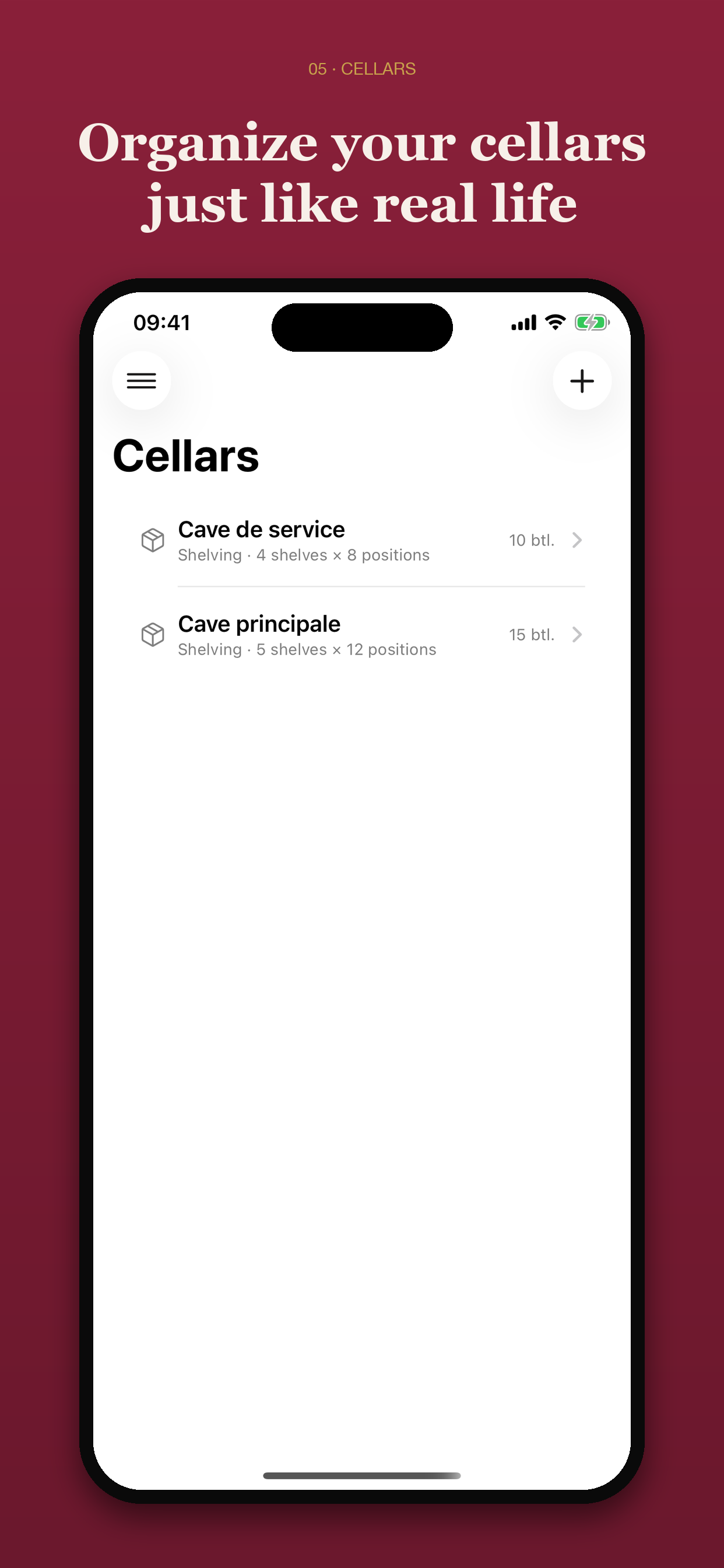
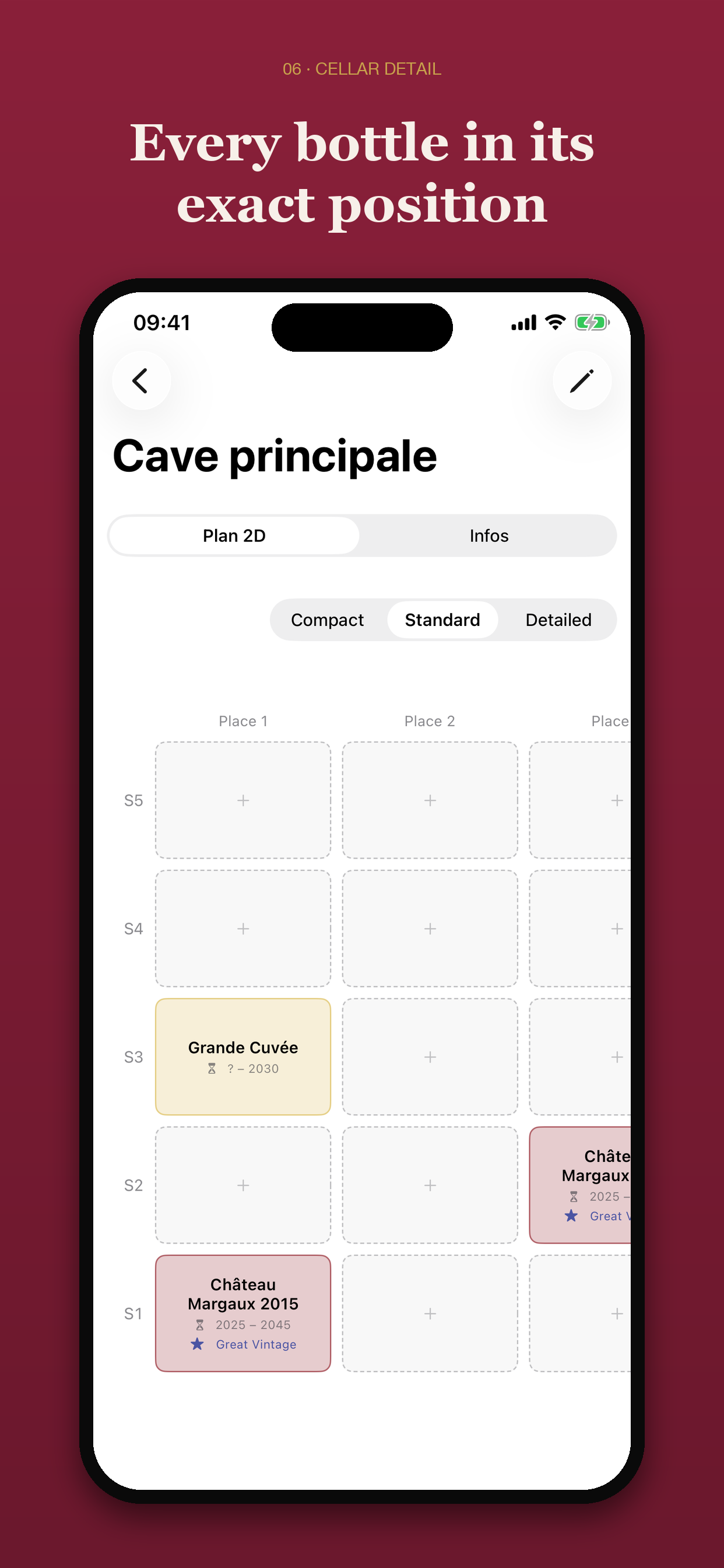
Visualize each cellar in 2D and move bottles with drag and drop.
Track peak drinking windows and spot the bottles ready to drink.
Keep tasting notes and find the wine in your cellar matching your dish.
Application Preview
A sleek and polished interface, designed to help you track, organize, and taste your bottles with ease.
Siri, Spotlight and Shortcuts
10 Siri commands and 10 actions in the Shortcuts app, on iPhone, iPad and Mac.
Siri commands
Actions in the Shortcuts app
Local Intelligence
Describe your dish. Vinum searches for the best pairings among your bottles, using Apple Intelligence when available. Processing remains entirely local.
Data and Privacy
Vinum uses no ads, tracking tools, or third-party services. Your data stays on your Mac, iPhone, or iPad.
If you enable iCloud, it syncs in a private CloudKit database linked to your Apple account.
Documentation
Around sixty illustrated pages telling Vinum in the order you discover it: putting away your first bottles, reading a vintage, keeping a tasting notebook, serving each wine at its temperature. Read it before you open the app — or in the evening, once the cellar is tidy.
Download the booklet →Support
For any questions about Vinum, please contact us.
support@rapinology.com →