Project-specific Derived Data
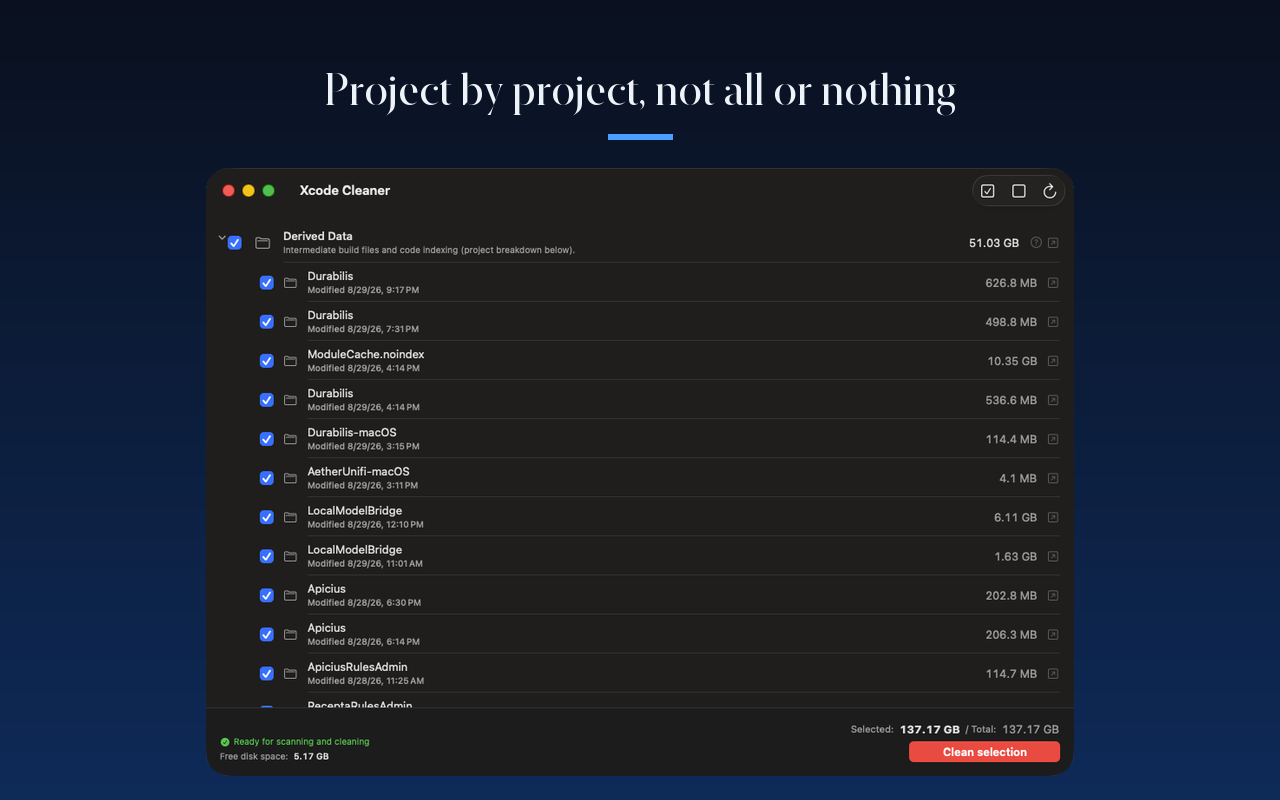
View the Derived Data size for each individual project and selectively clean only what is needed without losing all builds.

Native application for macOS
A modern and secure utility designed for Apple developers. Scan and instantly free up tens of gigabytes occupied by intermediate build files, archive history, and unused simulators, all within the strict boundaries of Apple's Sandbox.

Features
View the Derived Data size for each individual project and selectively clean only what is needed without losing all builds.
Identify obsolete simulator runtimes downloaded by older Xcode versions and delete them easily to retrieve gigabytes of space.
Using Apple's Folder Bookmarks, Xcode Cleaner runs safely in the Sandbox without requesting unauthorized global disk access.
Simulate cleaning to calculate the exact disk space to be freed and review details before any permanent deletions.
The app checks if Xcode is currently running and warns you to close it to avoid compile conflicts or data corruption.
No account required, no third-party tracking, zero cookies. All scanning and clean-up actions execute completely offline.
Preview
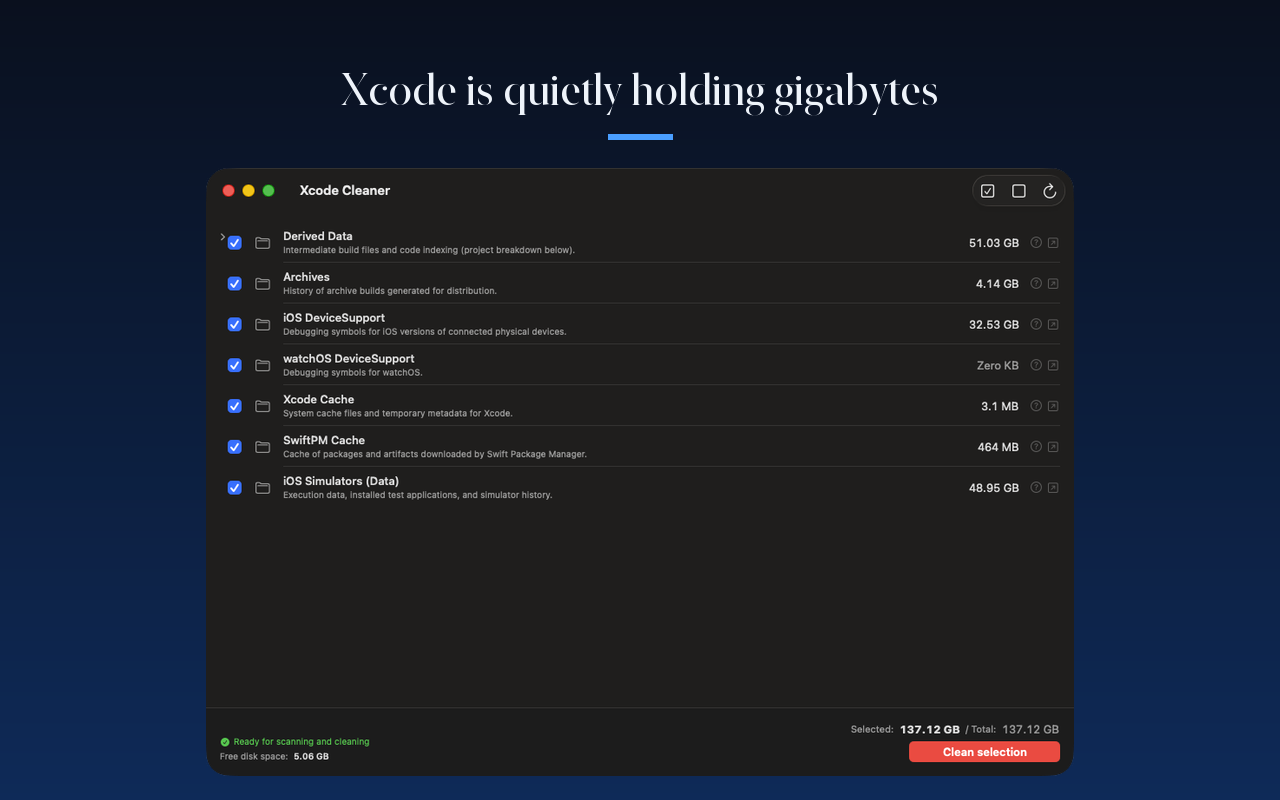
Take full control of the cache data generated by Xcode with immediate visualization of each occupied space.
Privacy
Xcode Cleaner is designed to run locally on your Mac. No data about your project structure, dependencies, or system information is ever collected or sent to any server.
Scanning, calculations, and deletions are done completely on your machine, without requiring internet connectivity.
Directory accesses rely on Apple's Folder Bookmarks and are stored locally inside your macOS keychain.
The app contains no analytics SDKs or third-party libraries. Your developer environment remains clean.
Support
Have questions about how Folder Bookmarks work or what impacts cache file deletion has? Our FAQ and e-mail support are here to help.
View support →